Bella body block: Design Options
Conditional Options
undefined
undefined
- Type: Percentage
- Default: 0%
- Minimum: -40%
- Maximum: 10%
This option controls how to lengthen the sleeves.

undefined
undefined
- Type: Percentage
- Default: 90%
- Minimum: 25%
- Maximum: 100%
We first draft the arm opening, then we draft a sleeve to fit it.
When all goes well, the sleeve fits perfectly, and this option is not relevant. However, if/when the sleeve does not perfectly fit the arm opening, we need to adapt it.
Since the shape and height of the sleevecap are more important than the width, we tend to prefer adjusting the width to fit the sleevecap.
To avoid the sleeve getting too narrow, we only adapt a portion of the sleeve width. This option allows you to control how much of the sleeve width is guaranteed. Increasing this option will allow us less of the width to play with to fit the sleeve. This way, the resulting sleeve will be closer to the theoretical sleeve width, and we will instead modify (more of) the sleevecap height to fit the sleeve.
undefined
undefined
- Type: Percentage
- Default: 60%
- Minimum: 35%
- Maximum: 65%
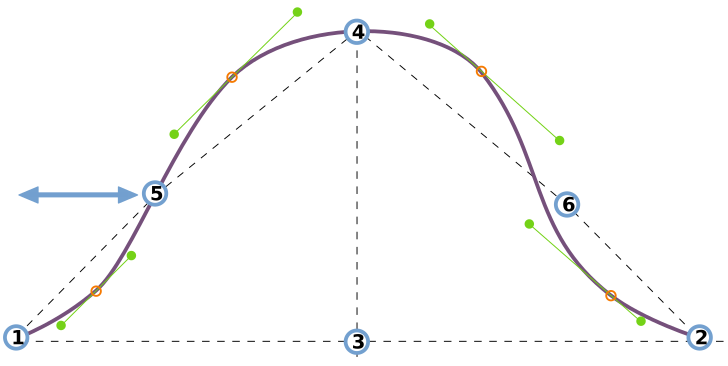
This option controls the horizontal placement of the sleevecap inflection point at the back of the sleeve.
See understanding the sleevecap for an in-depth look into how the sleevecap is constructed and the influence of the different options on its shape.
undefined
undefined
- Type: Percentage
- Default: 33%
- Minimum: 30%
- Maximum: 65%
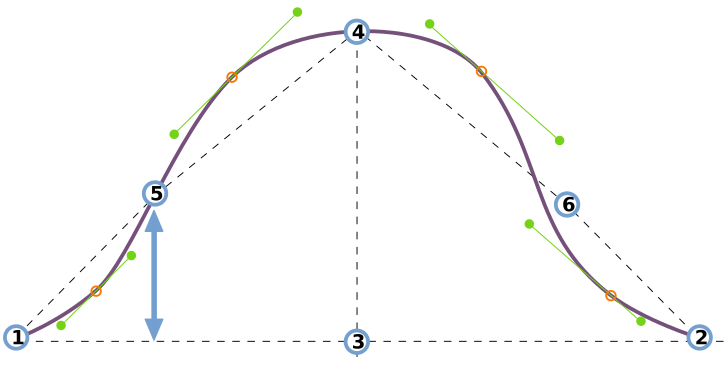
This option controls the vertical placement of the sleevecap inflection point at the back of the sleeve.
See understanding the sleevecap for an in-depth look into how the sleevecap is constructed and the influence of the different options on its shape.
undefined
undefined
- Type: Percentage
- Default: 0%
- Minimum: 0%
- Maximum: 10%
This option determines the amount of ease at the sleevecap.
The amount of sleevecap ease determines how the sleeves rolls from the shoulder. More ease makes the sleeve curl into the seam as you see on suit jackets. Less ease makes the sleeve lie flat.
For light fabric or knits, you want little to no sleevecap ease. For heavier woven fabrics, you need more sleevecap ease.
undefined
undefined
- Type: Percentage
- Default: 55%
- Minimum: 35%
- Maximum: 65%
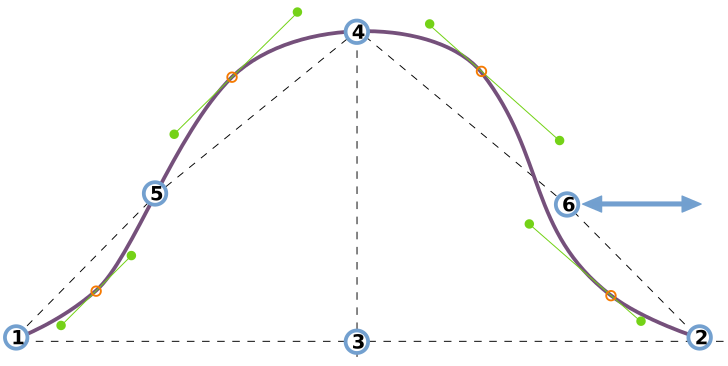
This option controls the horizontal placement of the sleevecap inflection point at the front of the sleeve.
See understanding the sleevecap for an in-depth look into how the sleevecap is constructed and the influence of the different options on its shape.
undefined
undefined
- Type: Percentage
- Default: 33%
- Minimum: 30%
- Maximum: 65%
This option controls the vertical placement of the sleevecap inflection point at the front of the sleeve.
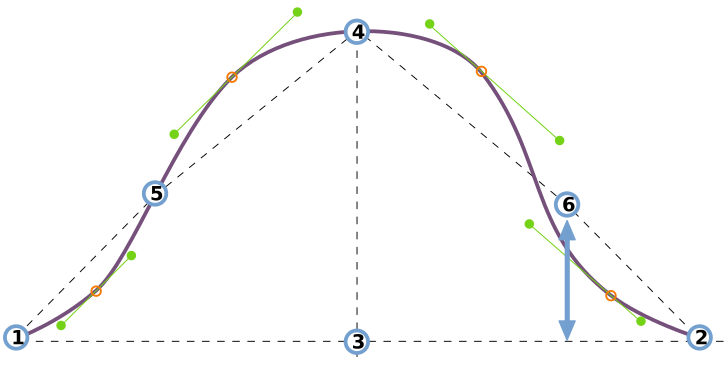
See understanding the sleevecap for an in-depth look into how the sleevecap is constructed and the influence of the different options on its shape.
undefined
undefined
- Type: Percentage
- Default: 1.7%
- Minimum: 0%
- Maximum: 7%
This option controls the offset in the first quadrant of the sleevecap.
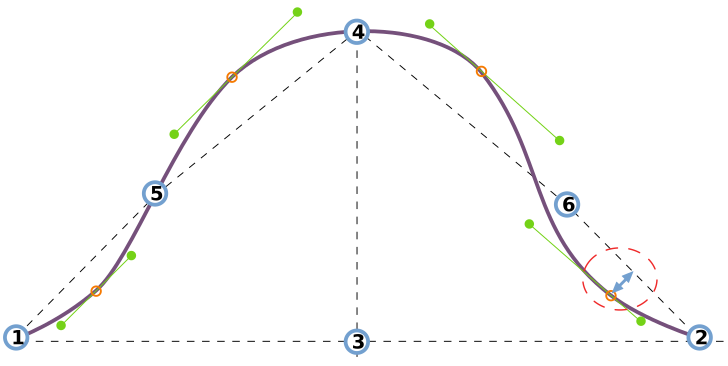
See understanding the sleevecap for an in-depth look into how the sleevecap is constructed and the influence of the different options on its shape.
undefined
undefined
- Type: Percentage
- Default: 10%
- Minimum: 4%
- Maximum: 20%
This option controls the downward spread in the first quadrant of the sleevecap.
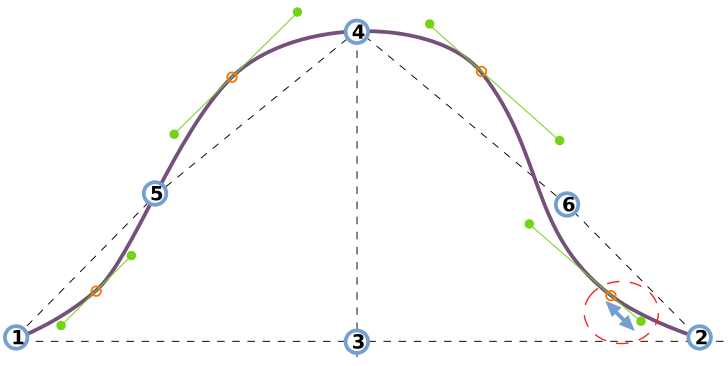
See understanding the sleevecap for an in-depth look into how the sleevecap is constructed and the influence of the different options on its shape.
undefined
undefined
- Type: Percentage
- Default: 15%
- Minimum: 4%
- Maximum: 20%
This option controls the upward spread in the first quadrant of the sleevecap.
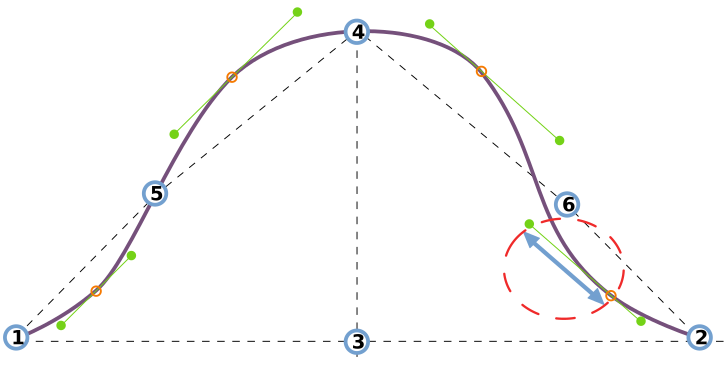
See understanding the sleevecap for an in-depth look into how the sleevecap is constructed and the influence of the different options on its shape.
undefined
undefined
- Type: Percentage
- Default: 3.5%
- Minimum: 0%
- Maximum: 7%
This option controls the offset in the second quadrant of the sleevecap.
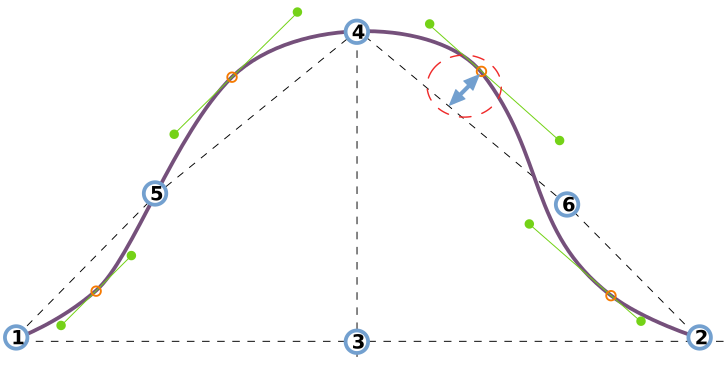
See understanding the sleevecap for an in-depth look into how the sleevecap is constructed and the influence of the different options on its shape.
undefined
undefined
- Type: Percentage
- Default: 15%
- Minimum: 4%
- Maximum: 20%
This option controls the downward spread in the second quadrant of the sleevecap.
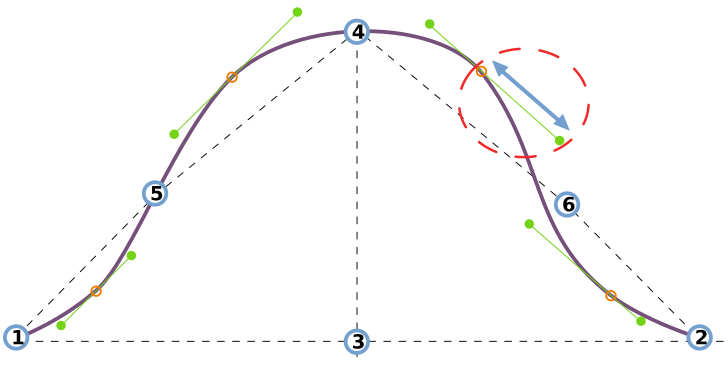
See understanding the sleevecap for an in-depth look into how the sleevecap is constructed and the influence of the different options on its shape.
undefined
undefined
- Type: Percentage
- Default: 10%
- Minimum: 4%
- Maximum: 20%
This option controls the upward spread in the second quadrant of the sleevecap.
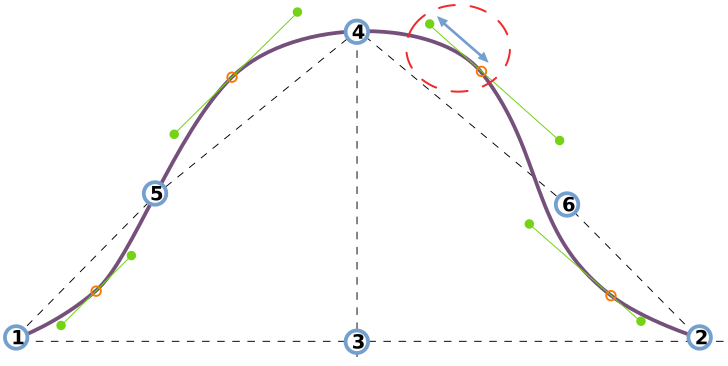
See understanding the sleevecap for an in-depth look into how the sleevecap is constructed and the influence of the different options on its shape.
undefined
undefined
- Type: Percentage
- Default: 2.5%
- Minimum: 0%
- Maximum: 7%
This option controls the offset in the third quadrant of the sleevecap.
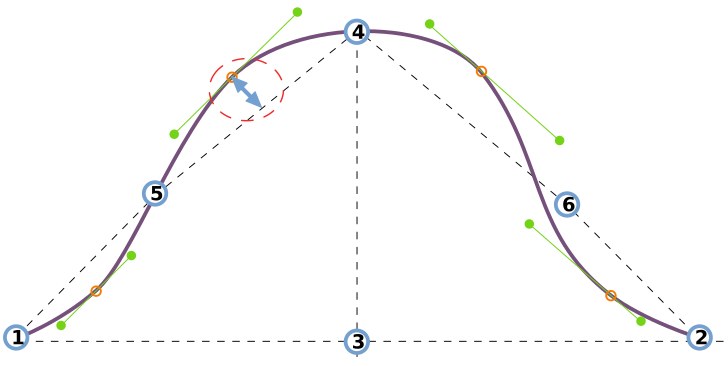
See understanding the sleevecap for an in-depth look into how the sleevecap is constructed and the influence of the different options on its shape.
undefined
undefined
- Type: Percentage
- Default: 10%
- Minimum: 4%
- Maximum: 20%
This option controls the upward spread in the third quadrant of the sleevecap.
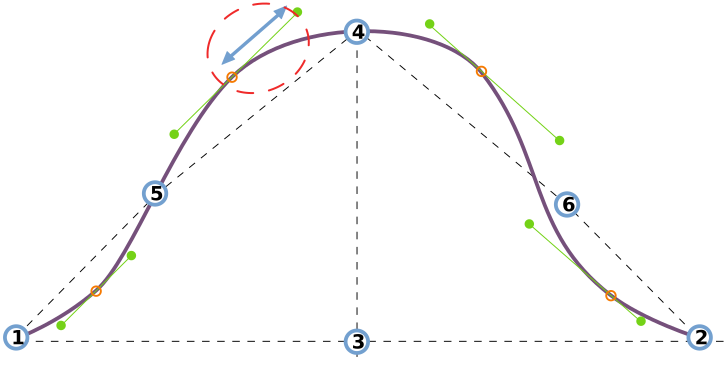
See understanding the sleevecap for an in-depth look into how the sleevecap is constructed and the influence of the different options on its shape.
undefined
undefined
- Type: Percentage
- Default: 8%
- Minimum: 4%
- Maximum: 20%
This option controls the downward spread in the third quadrant of the sleevecap.
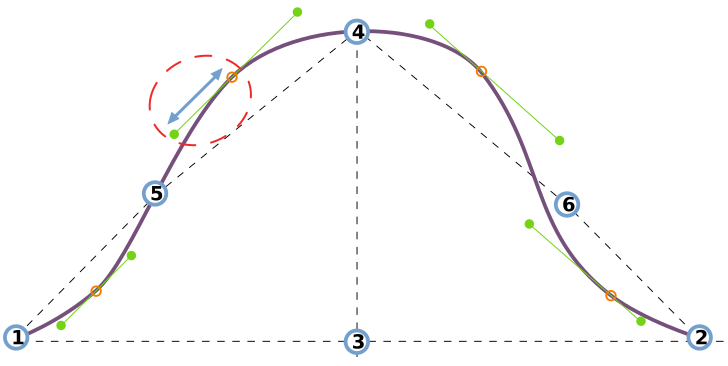
See understanding the sleevecap for an in-depth look into how the sleevecap is constructed and the influence of the different options on its shape.
undefined
undefined
- Type: Percentage
- Default: 1%
- Minimum: 0%
- Maximum: 7%
This option controls the offset in the fourth quadrant of the sleevecap.
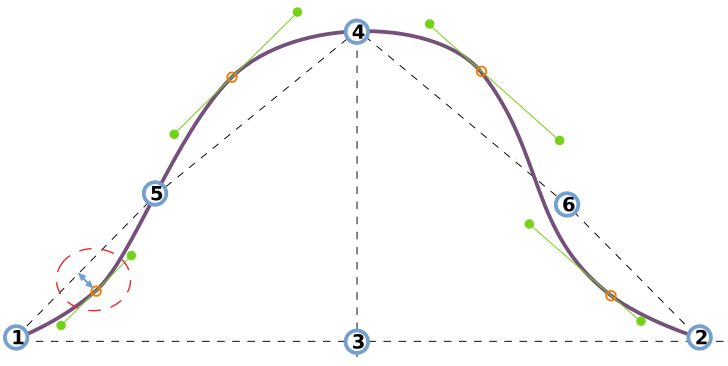
See understanding the sleevecap for an in-depth look into how the sleevecap is constructed and the influence of the different options on its shape.
undefined
undefined
- Type: Percentage
- Default: 7%
- Minimum: 4%
- Maximum: 20%
This option controls the upward spread in the fourth quadrant of the sleevecap.
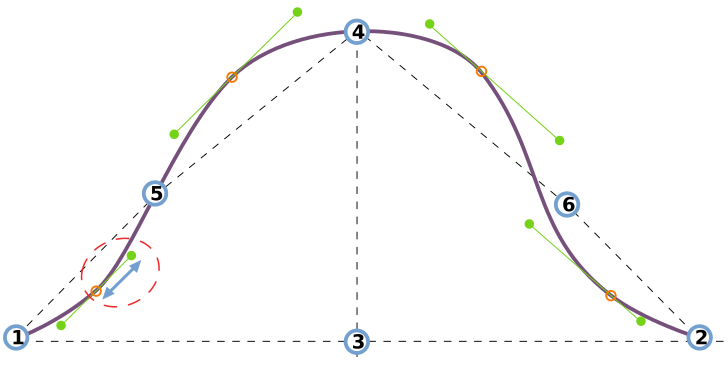
See understanding the sleevecap for an in-depth look into how the sleevecap is constructed and the influence of the different options on its shape.
undefined
undefined
- Type: Percentage
- Default: 6.3%
- Minimum: 4%
- Maximum: 20%
This option controls the downward spread in the fourth quadrant of the sleevecap.
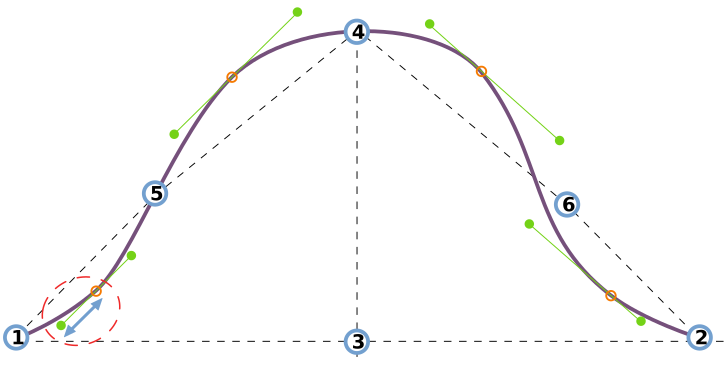
See understanding the sleevecap for an in-depth look into how the sleevecap is constructed and the influence of the different options on its shape.
undefined
undefined
- Type: Percentage
- Default: 50%
- Minimum: 25%
- Maximum: 75%
This option controls the horizontal placement of the sleevecap top.
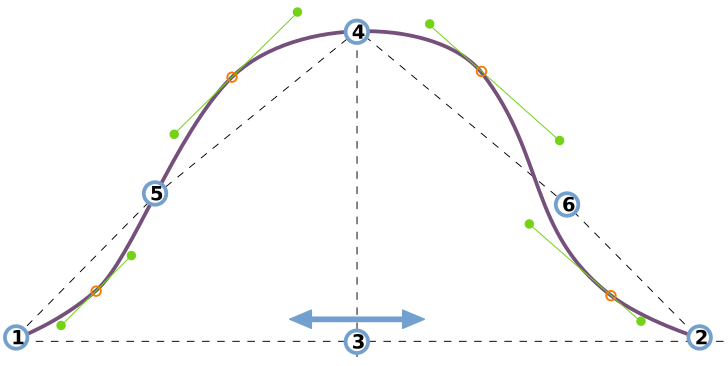
See understanding the sleevecap for an in-depth look into how the sleevecap is constructed and the influence of the different options on its shape.
undefined
undefined
- Type: Percentage
- Default: 45%
- Minimum: 35%
- Maximum: 125%
This option controls the vertical placement of the sleevecap top.
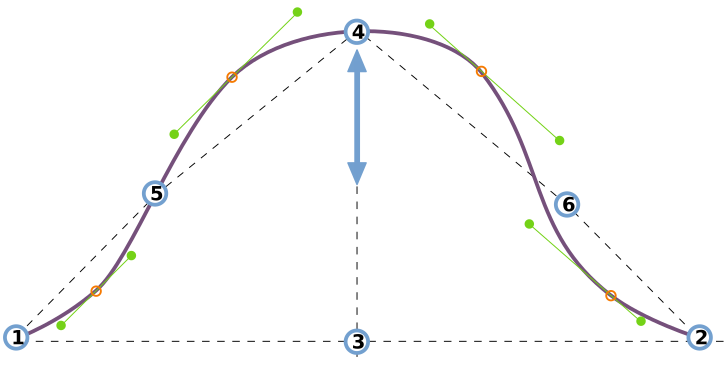
See understanding the sleevecap for an in-depth look into how the sleevecap is constructed and the influence of the different options on its shape.
Armhole
Armhole depth
Controls the depth of the armhole
- Type: Percentage
- Default: 44%
- Minimum: 38%
- Maximum: 46%
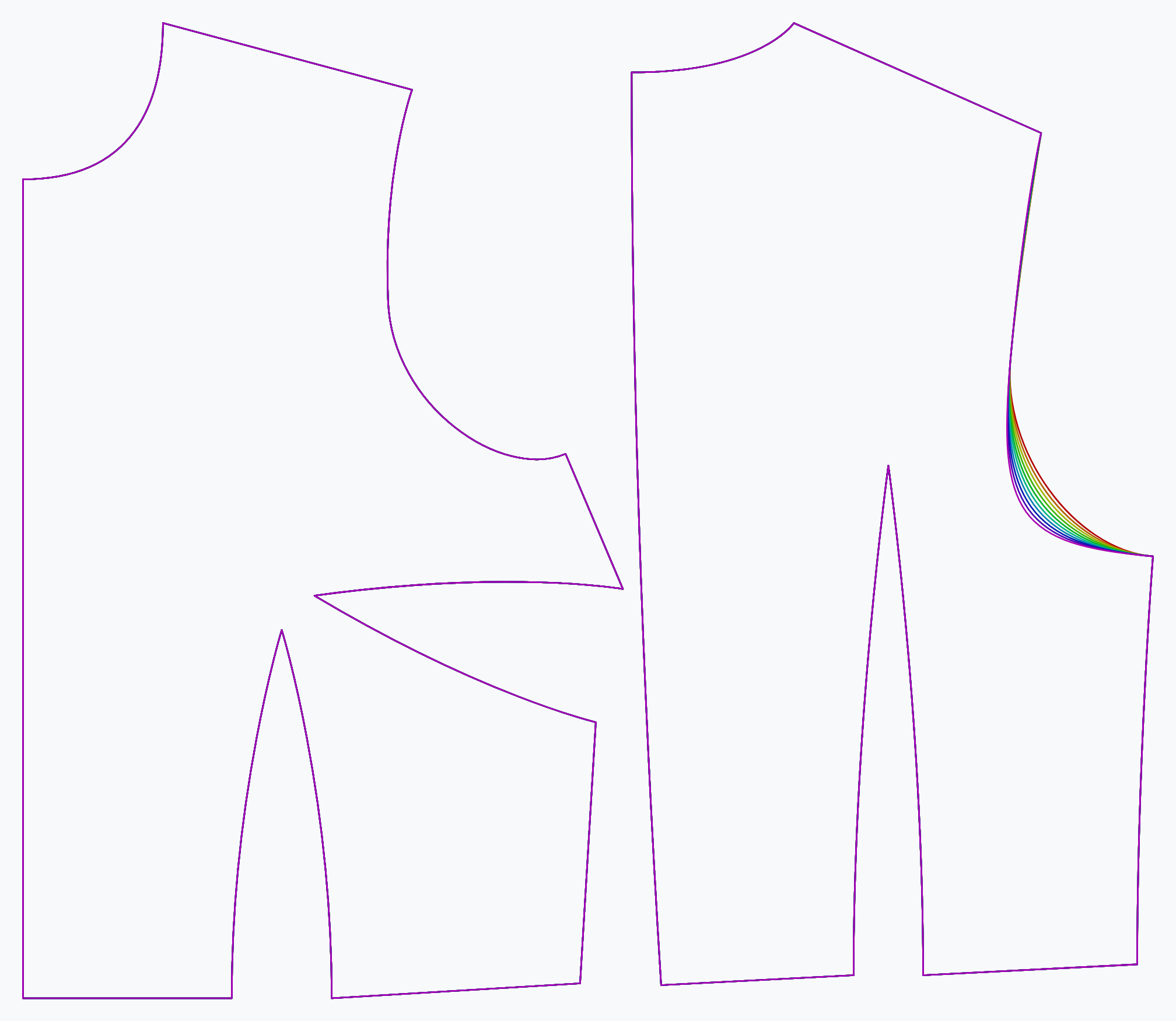
The armhole depth option controls the depth of the armhole.
Back armhole curvature
Controls how deep the armhole is scooped out at the back bottom
- Type: Percentage
- Default: 63%
- Minimum: 50%
- Maximum: 85%
The back armhole curvature option controls how much the armhole is scooped at out the bottom in the back.
Back armhole pitch depth
Tweaks the horizontal placement of the back armhole pitch point
- Type: Percentage
- Default: 35%
- Minimum: 30%
- Maximum: 40%
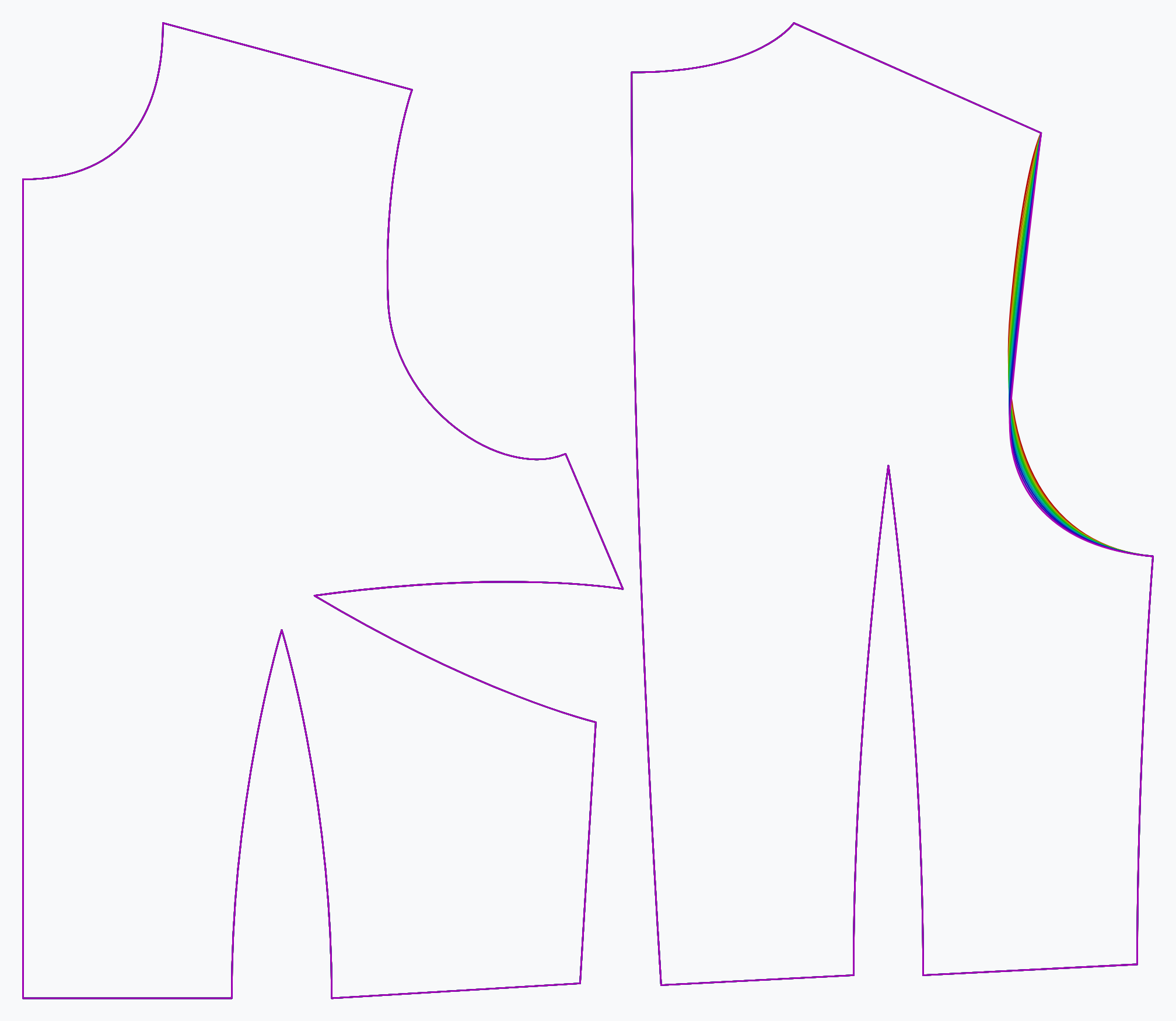
The back armhole pitch depth option controls the vertical position of the armhole pitch point at the back.
Back armhole slant
Slightly rotates the armhole around its pitch point
- Type: Degrees
- Default: 5°
- Minimum: 1°
- Maximum: 9°
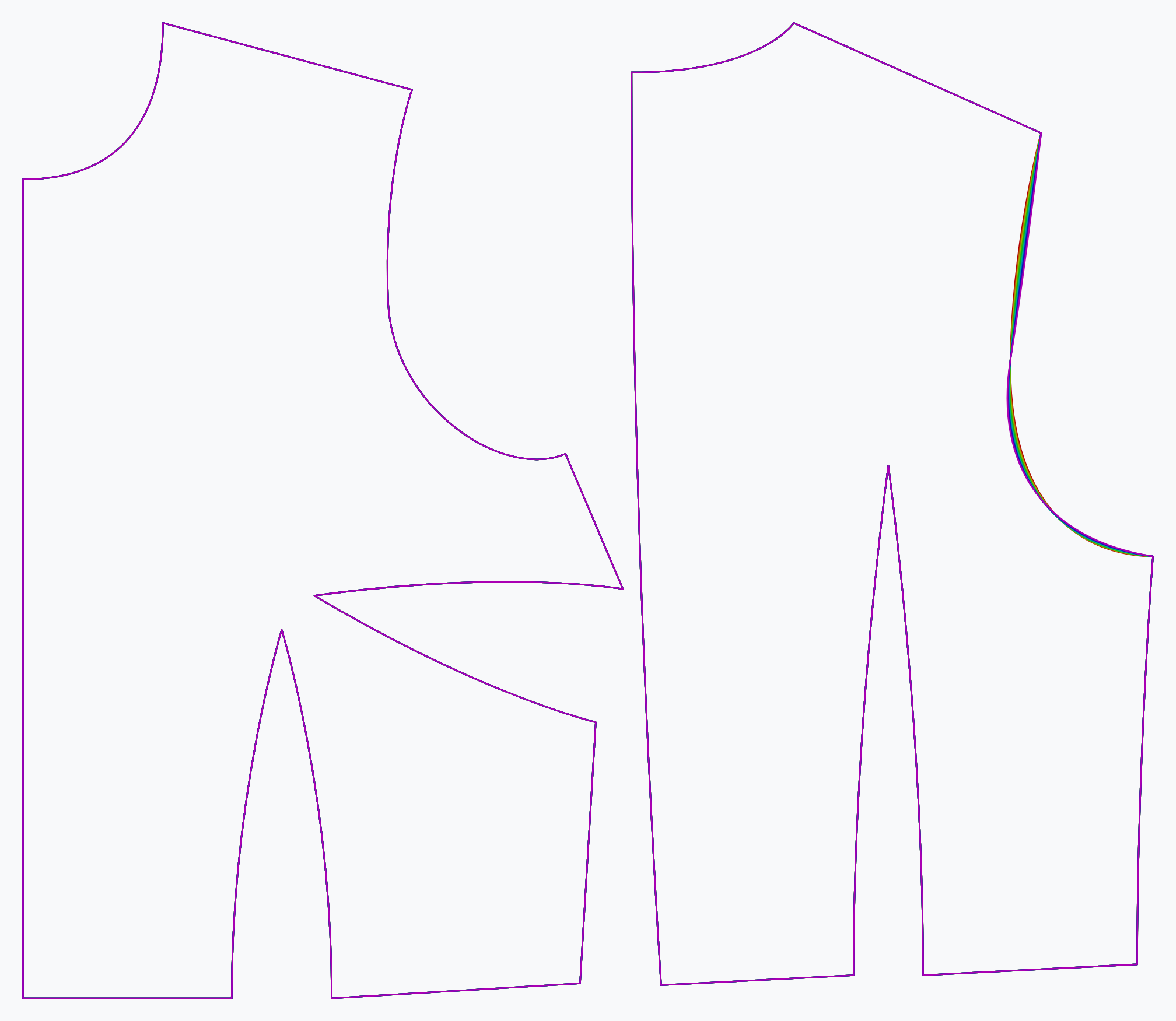
The back armhole slant slightly rotates the armhole around the back pitch point.
Sleeve
Add sleeves to the garment
- Type: Boolean
- Default: true
The sleeve option adds the sleeve from the part library to the Bella design.
Front armhole curvature
Controls how deep the armhole is scooped out at the front bottom
- Type: Percentage
- Default: 63%
- Minimum: 50%
- Maximum: 85%
Controls how deep the armhole is scooped out at the front bottom
Front armhole pitch depth
Tweaks the horizontal placement of the front armhole pitch point
- Type: Percentage
- Default: 29%
- Minimum: 27%
- Maximum: 31%
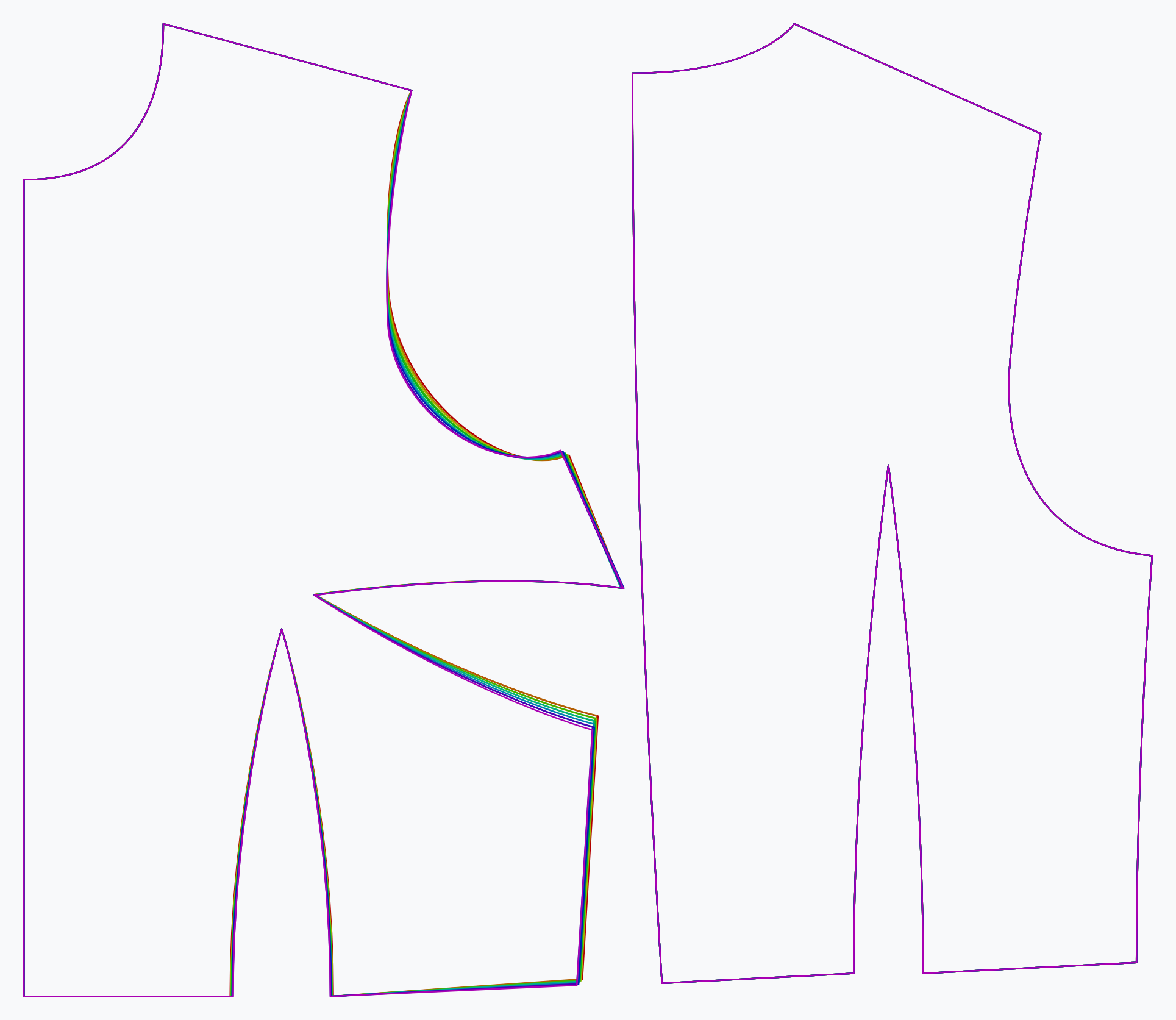
The front armhole pitch depth option controls the vertical position of the armhole pitch point at the front.
Darts
Back dart height
Controls the height of the back dart
- Type: Percentage
- Default: 46%
- Minimum: 38%
- Maximum: 54%
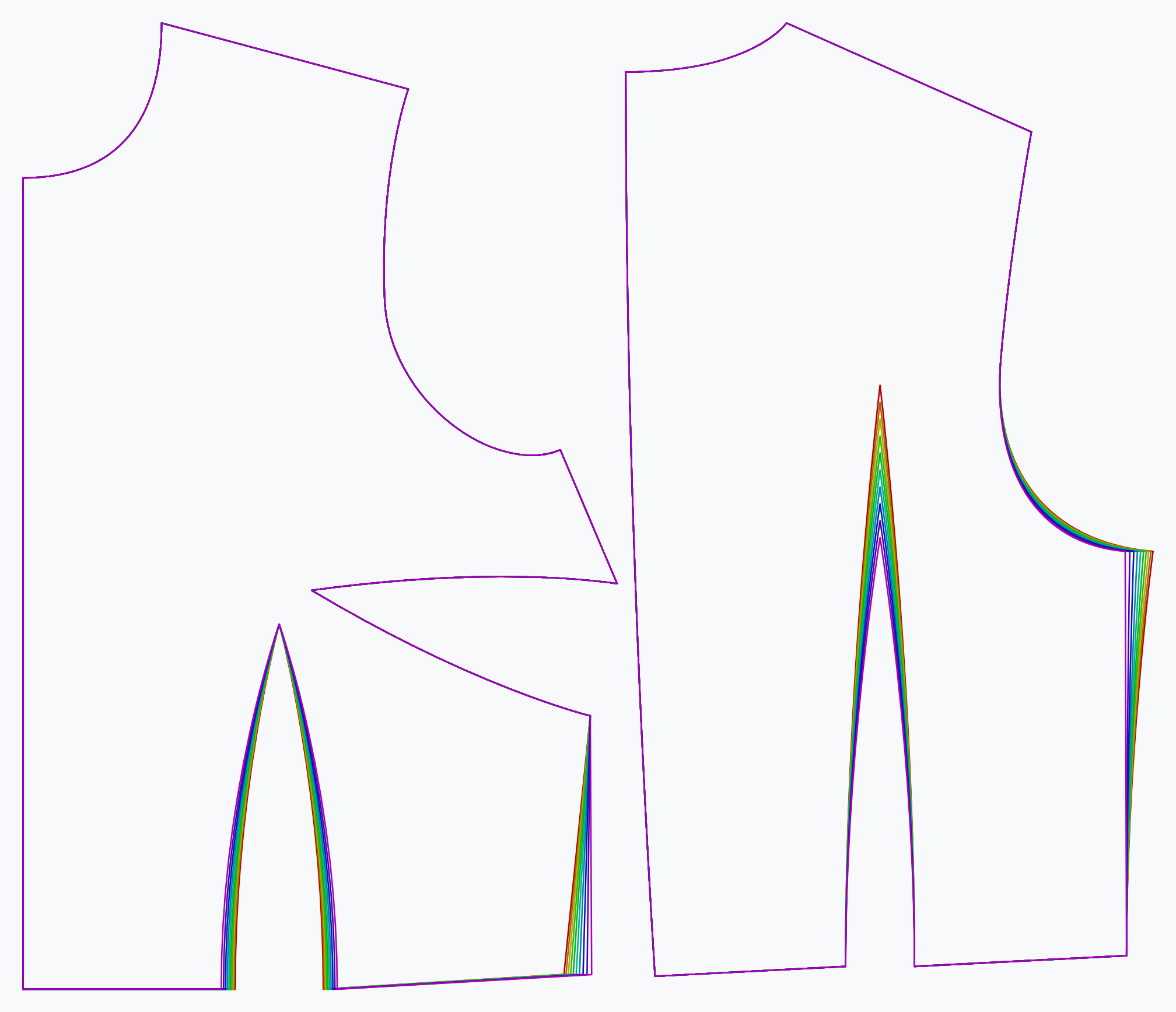
The back dart height option controls the height (length if you will) of the back dart.
Bust dart angle
The angle of the bust dart
- Type: Percentage
- Default: undefined
- Minimum: -45
- Maximum: 45
The bust dart angle option controls the angle of the bust dart. It attempts to set the angle of the top leg of the dart at the requested angle. However, the angle may be limited to ensure that a minimum amount of fabric is left above and below the dart.
Bust dart curve
Controls the curvature of the bust dart
- Type: Percentage
- Default: 100%
- Minimum: -100%
- Maximum: 100%
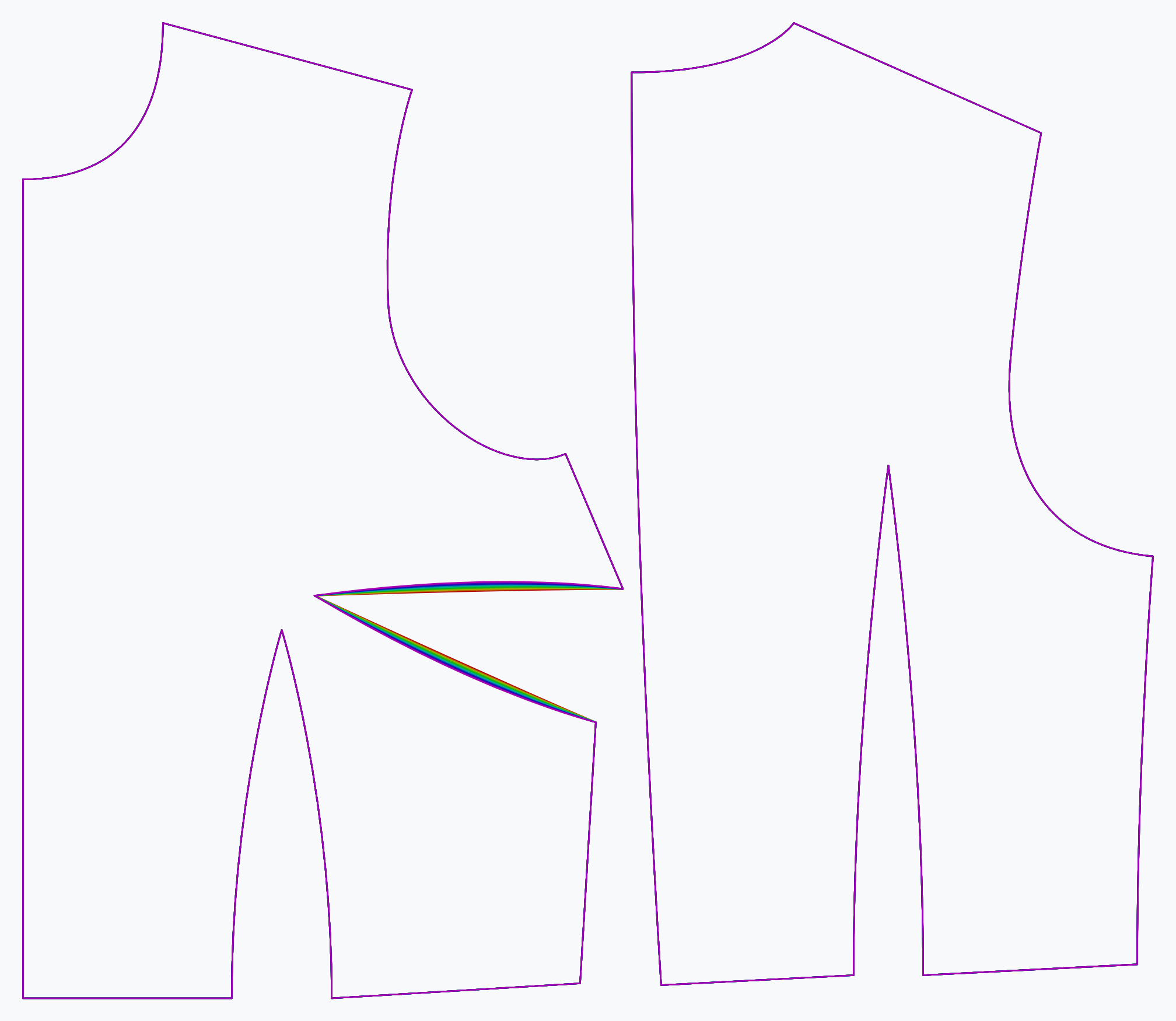
The bust dart curve option controls the curvature of the bust dart. From slightly curved convex, to straight, to slightly curved concave.
Bust dart length
Controls the length of the bust dart
- Type: Percentage
- Default: 90%
- Minimum: 75%
- Maximum: 100%
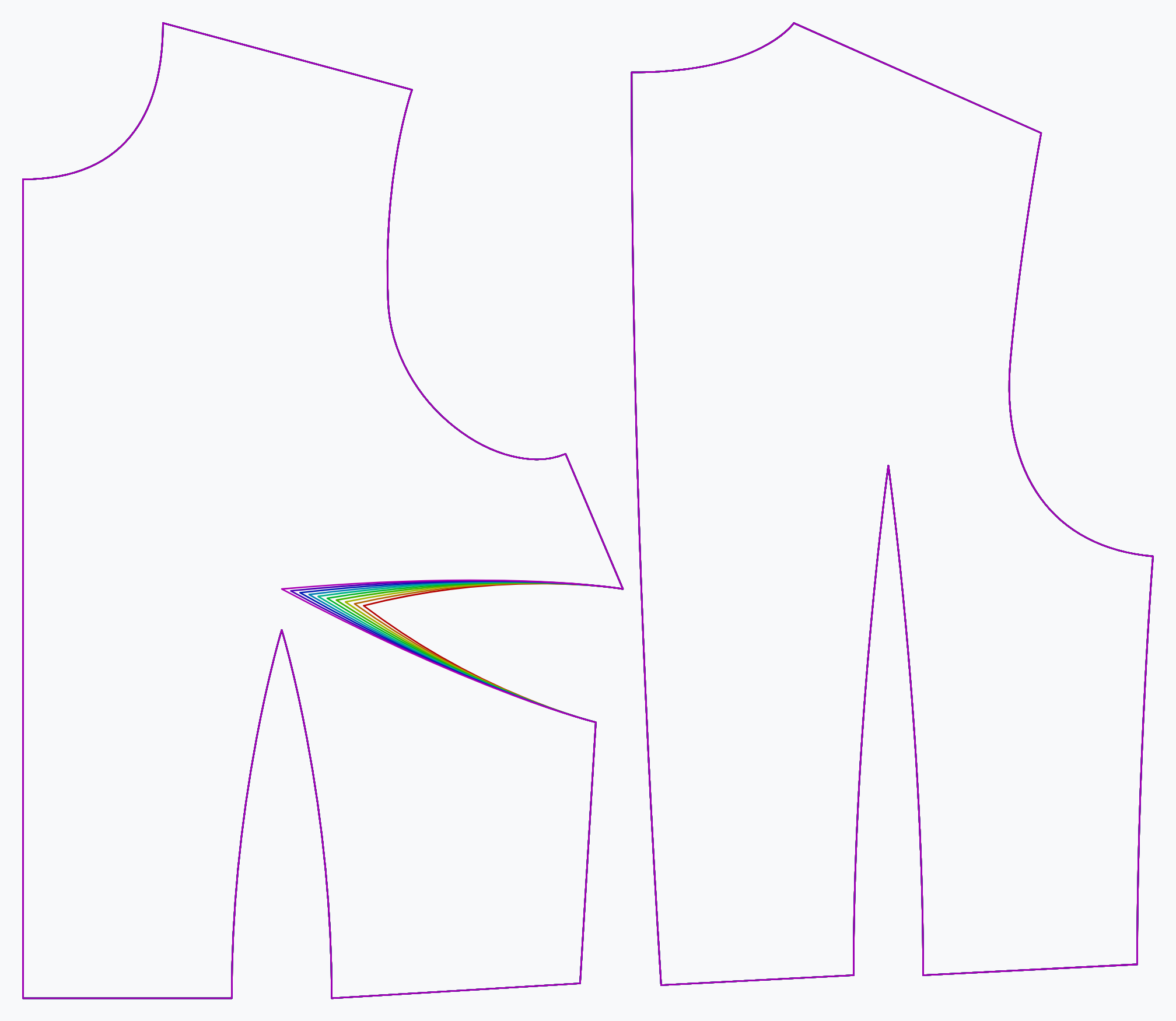
The bust dart length option controls the length of the bust dart. The maximum length brings the dart all the way to the bust apex.
Bust dart minimum fabric
The minimum amount of side seam above and below the bust dart
- Type: Percentage
- Default: 5%
- Minimum: 1%
- Maximum: 50%
The bust dart minimum fabric option controls the minimum amount of fabric to leave above and below the bust dart.
Waist dart curve
Controls the curvature of the waist dart
- Type: Percentage
- Default: 100%
- Minimum: -100%
- Maximum: 100%
The waist dart curve option controls the curvature of the waist dart. From slightly concave, to straight, to slightly convex.
Waist dart length
Controls the length of the waist dart
- Type: Percentage
- Default: 90%
- Minimum: 75%
- Maximum: 95%
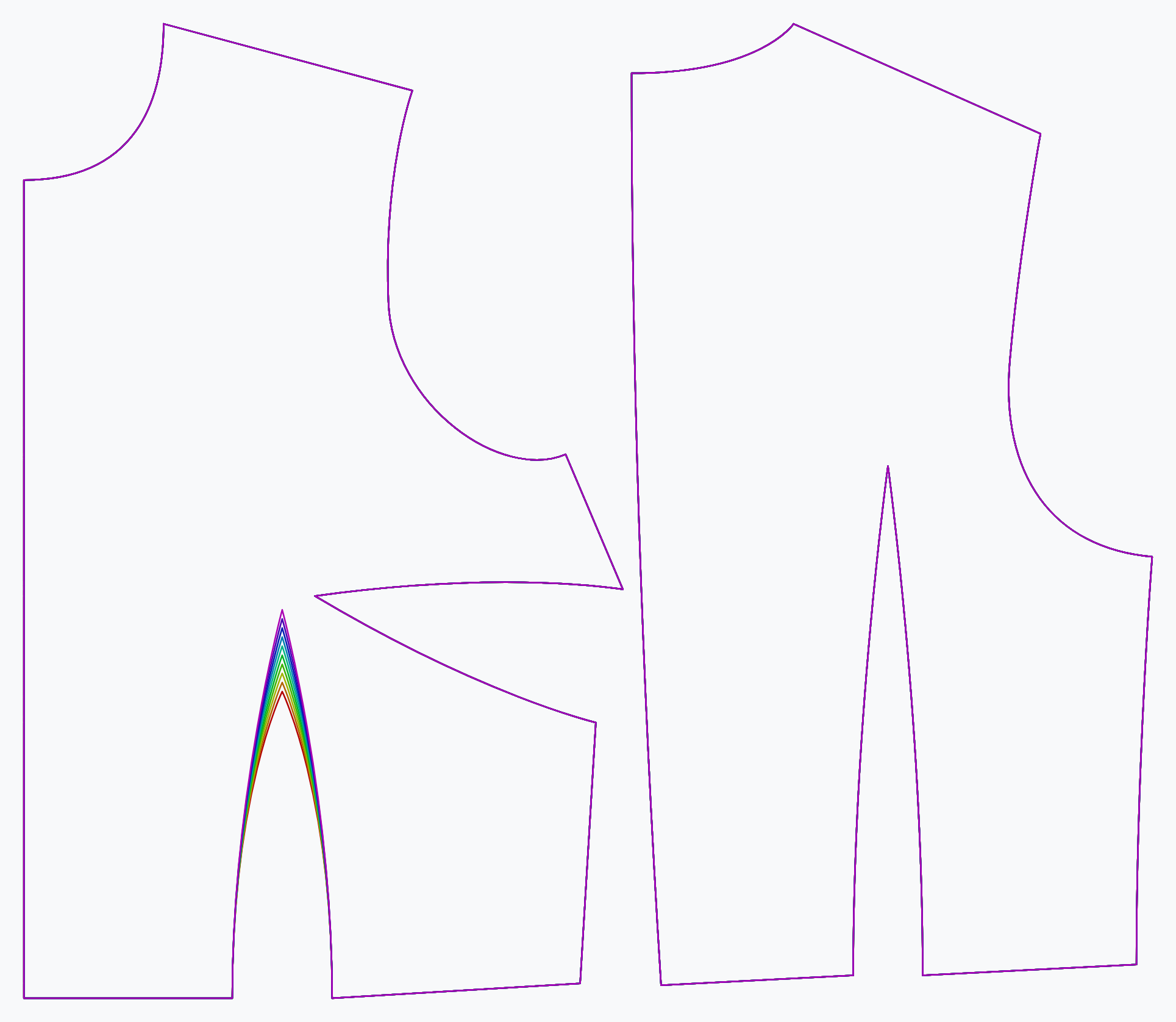
The waist dart length option controls the length of the waist dart towards the bust.
Fit
undefined
undefined
- Type: Percentage
- Default: 15%
- Minimum: 0%
- Maximum: 50%
Controls the amount of ease at your upper arm.
Bust span ease
Controls the amount of (horizontal) ease added to your bust span when locating the bust point.
- Type: Percentage
- Default: 10%
- Minimum: 0%
- Maximum: 20%
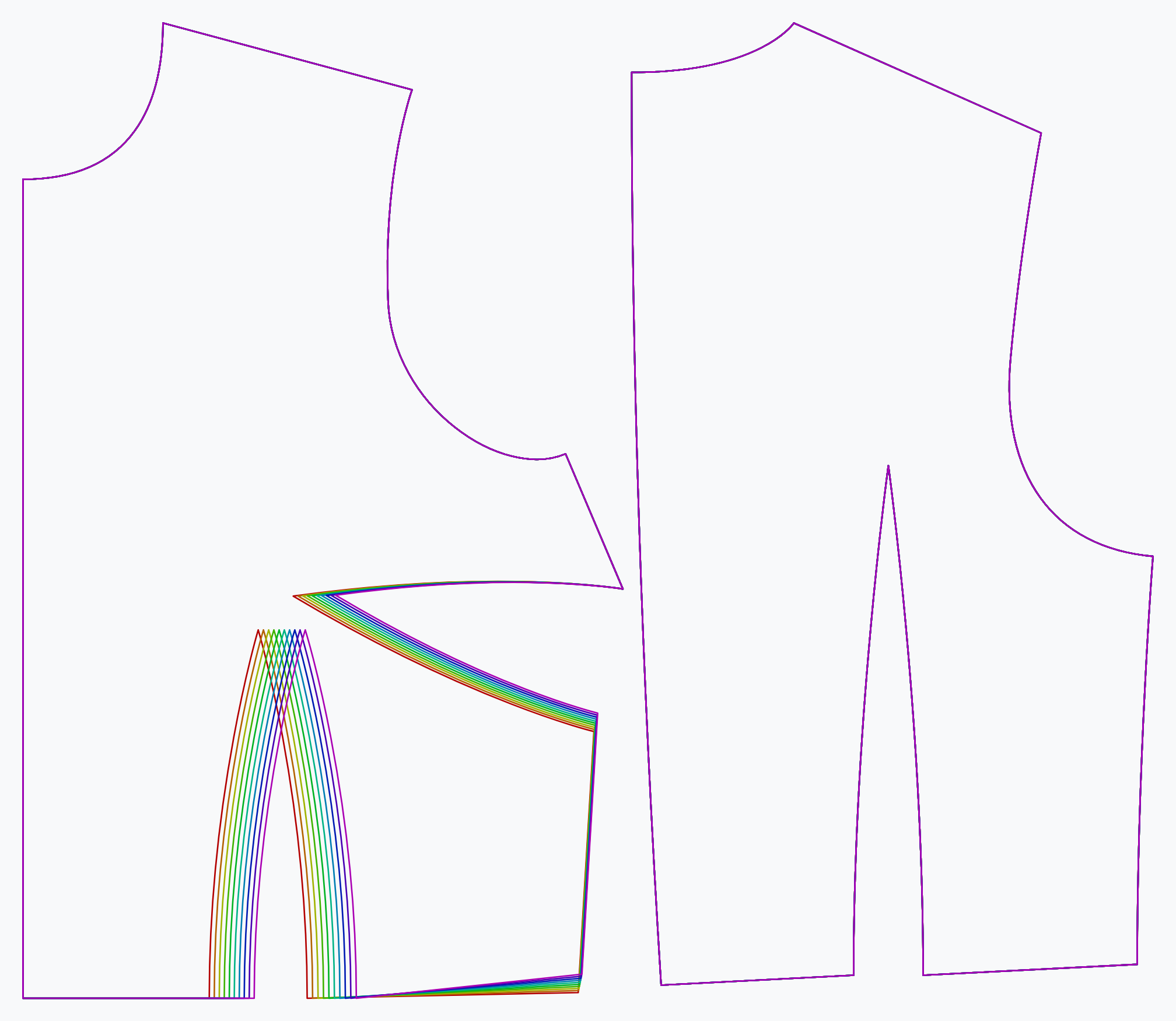
The bust span ease option controls how much ease is applied to the bust span.
This will not add ease to the garment, but merely influence the bust point
Chest ease
Controls the amount of ease at the fullest part of your chest
- Type: Percentage
- Default: 11%
- Minimum: 5%
- Maximum: 20%
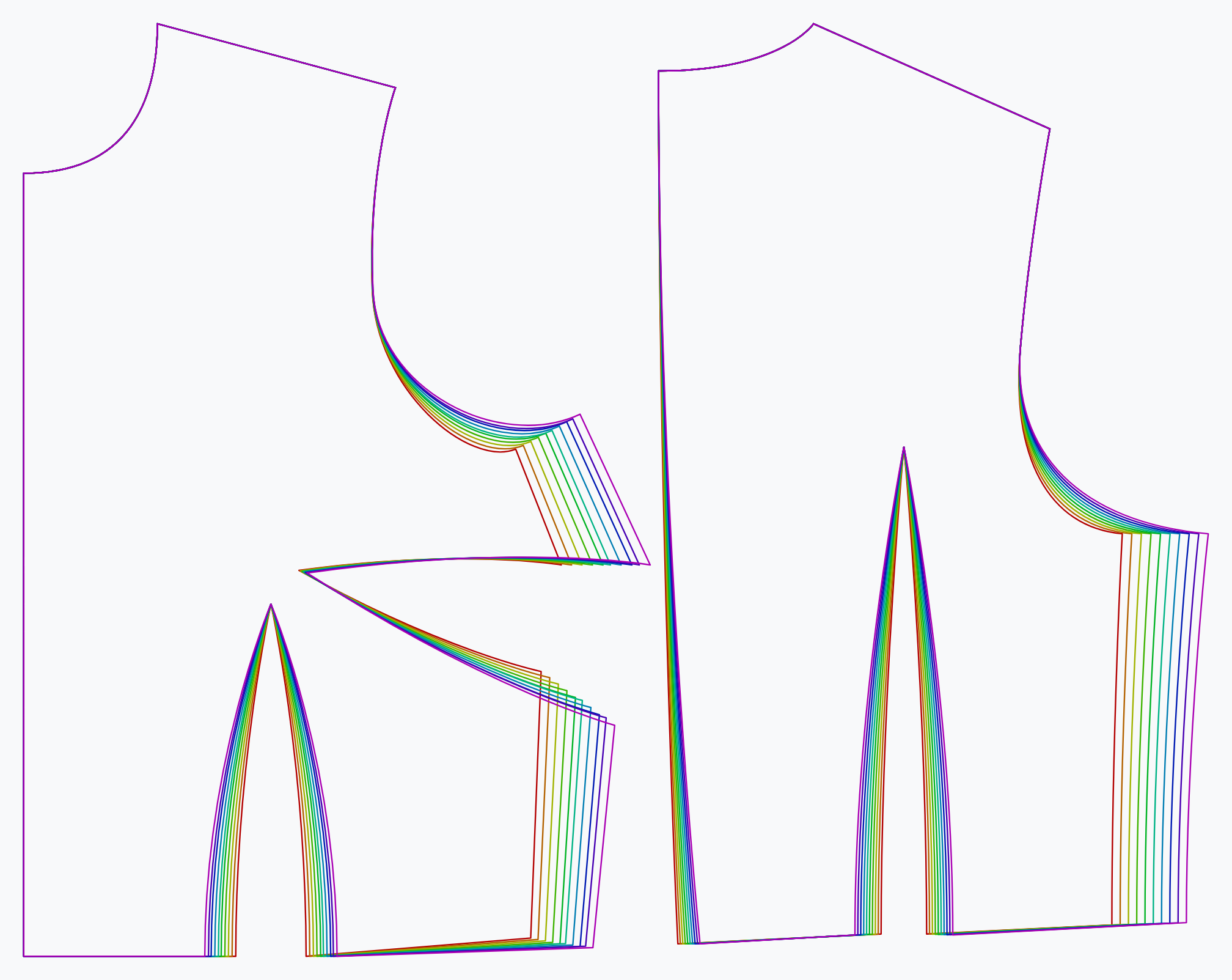
The chest ease option controls the amount of ease at the fullest part of your chest.
undefined
undefined
- Type: Percentage
- Default: 20%
- Minimum: 0%
- Maximum: 200%
How much room do you want at your wrist?
Full chest ease reduction
Allows you to independently reduce the ease around the chest to make it fit tight(er) in that area
- Type: Percentage
- Default: 4%
- Minimum: 0%
- Maximum: 8%
Allows you to independently reduce the ease around the chest to make it fit tight(er) in that area
Shoulder to Shoulder ease
Controls the amount of ease between your shoulders. Initially set to -.5% because Bella implements a block that is used in the industry.
- Type: Percentage
- Default: -0.5%
- Minimum: -1%
- Maximum: 5%
Controls the amount of ease between your shoulders. Initially set to -.5% because Bella implements a block that is used in the industry.
Waist ease
Controls the amount of ease at your waist
- Type: Percentage
- Default: 5%
- Minimum: 1%
- Maximum: 20%
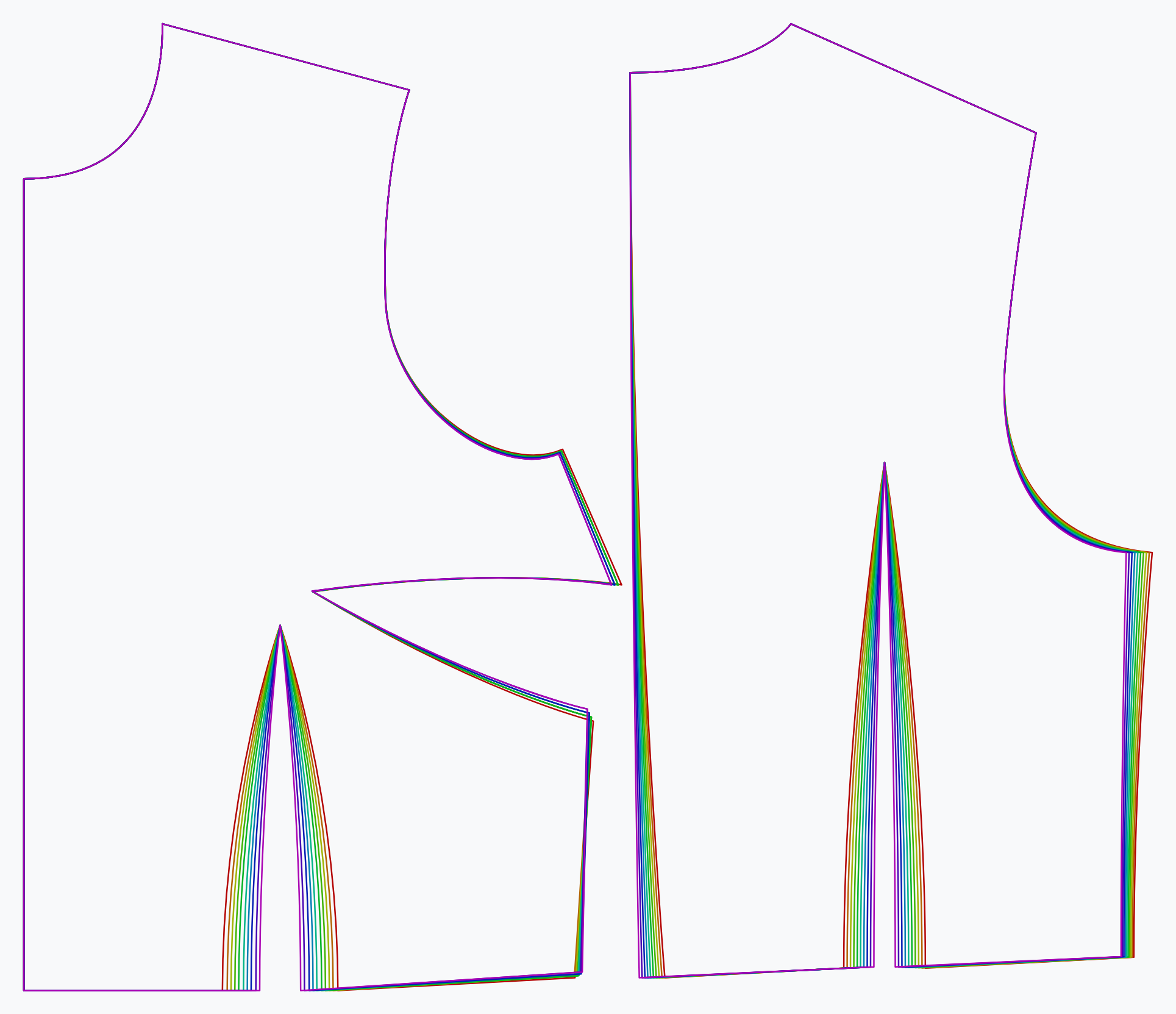
The waist ease option controls the amount of ease at your waist.
Advanced
Back hem slope
Controls the slope of the hem at the back
- Type: Degrees
- Default: 2.5°
- Minimum: 0°
- Maximum: 5°
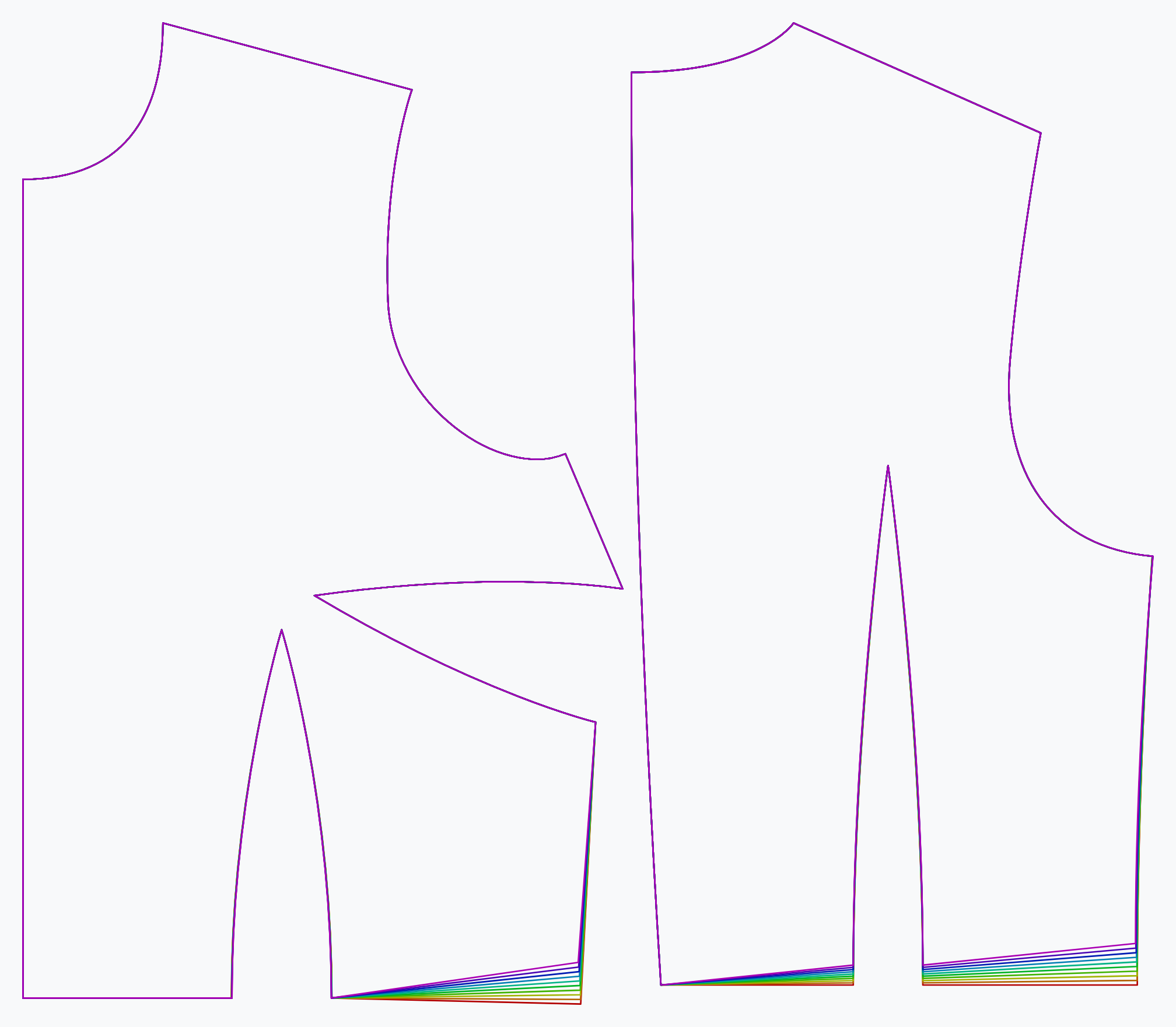
The back hem slope option controls the slope of the hem at the back.
Back neck cutout
Controls how deep the neck opening is scooped out at at the back
- Type: Percentage
- Default: 6%
- Minimum: 3%
- Maximum: 9%
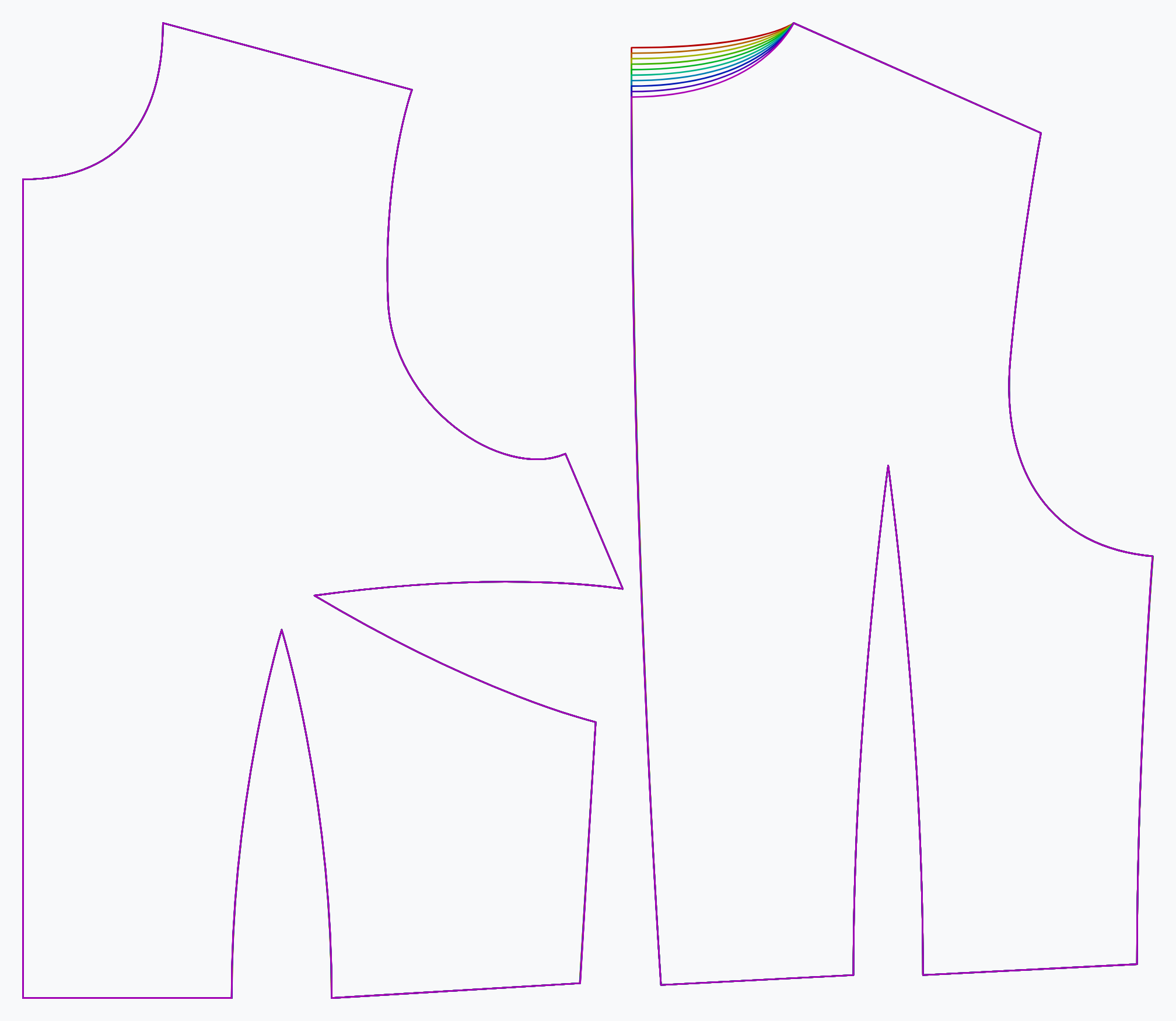
The back neck cutout option controls how far the neck opening is scooped out at the back.
Front shoulder width
Controls the narrowness of the front shoulders relative to the back
- Type: Percentage
- Default: 95%
- Minimum: 92%
- Maximum: 98%
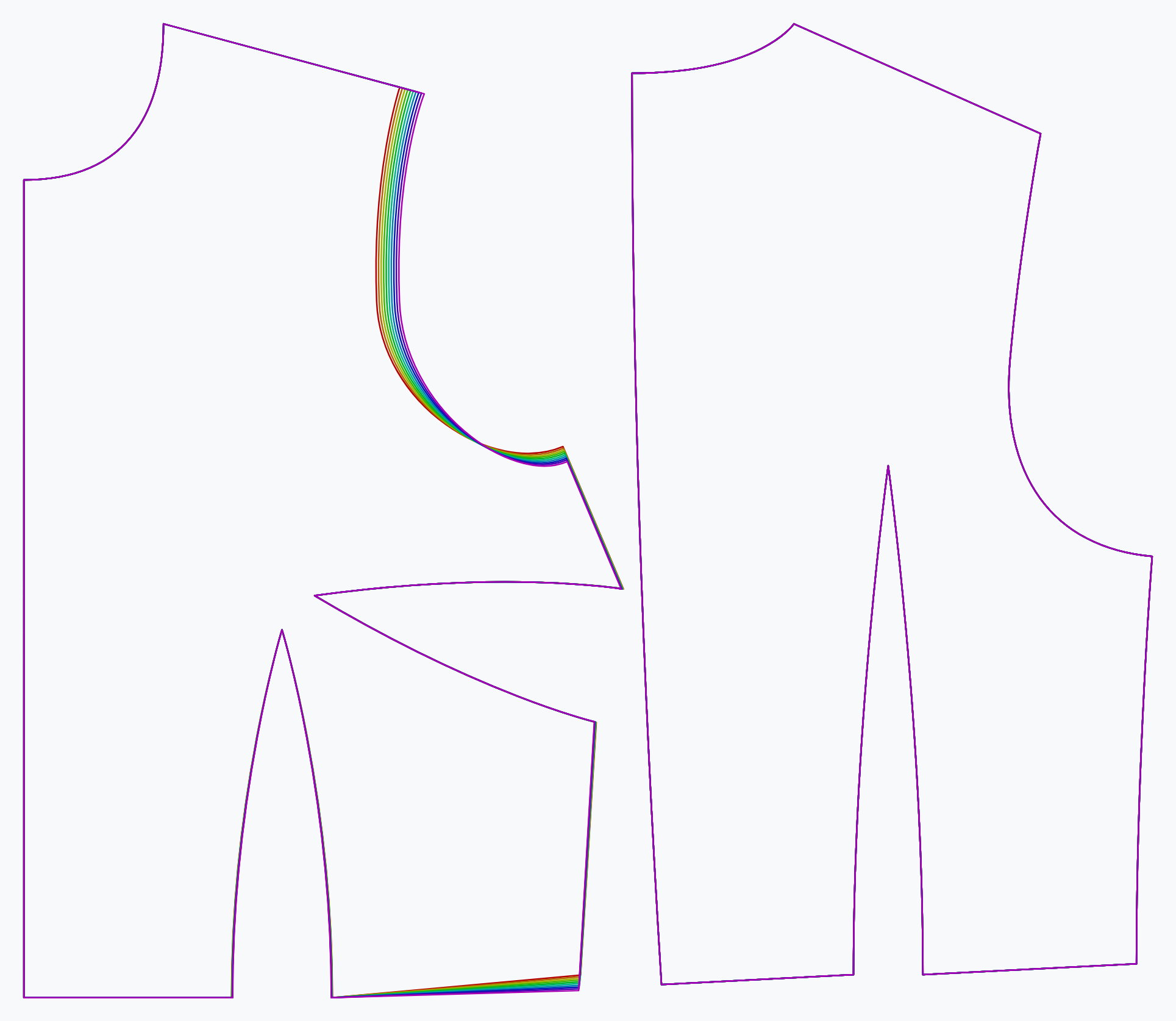
The front shoulder width option controls the width of the shoulders at the front, relative to the back.
High bust width
Allows you to tweak the high bust width at the front
- Type: Percentage
- Default: 86%
- Minimum: 80%
- Maximum: 92%
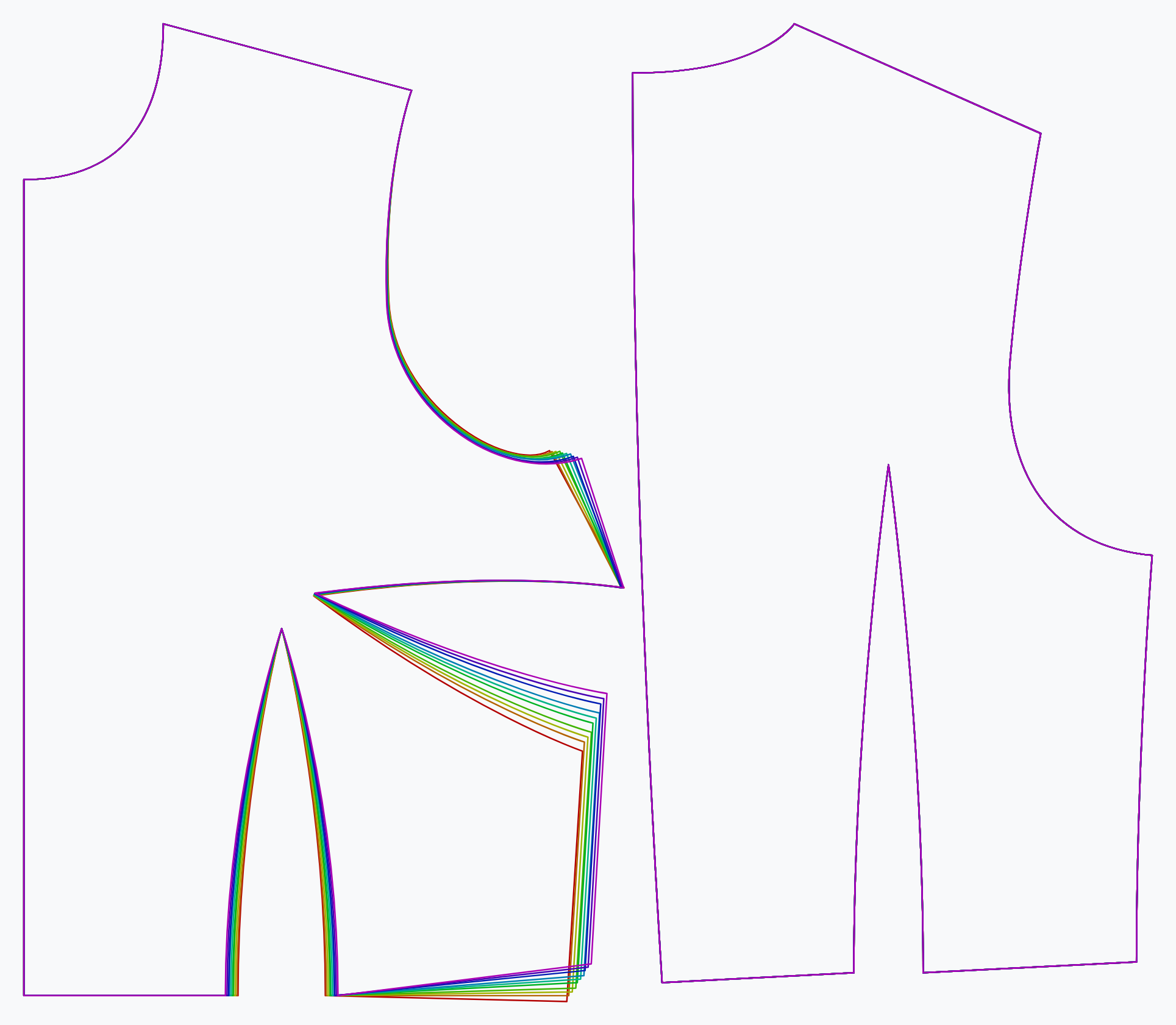
The high bust width option allows you to tweak the high bust width at the front.