Library: Design Options
Fit
Cuff ease
The amount of ease at your wrist.
- Type: Percentage
- Default: 40%
- Minimum: 2%
- Maximum: 100%
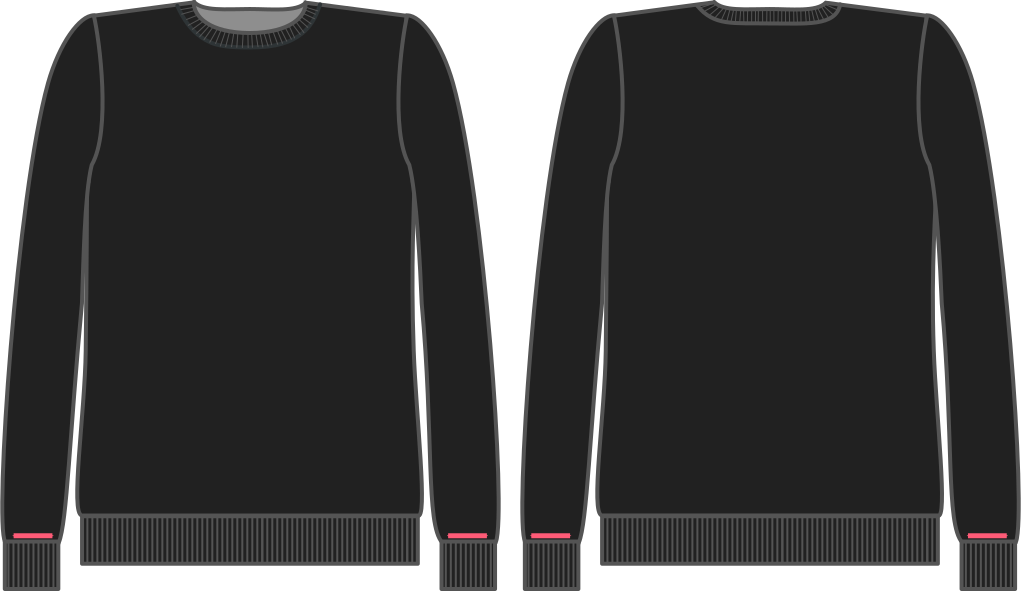
How much room do you want at your wrist?
Sleeve bend
Controls the bend of the sleeve at the elbow.
- Type: Degrees
- Default: 10°
- Minimum: 0°
- Maximum: 20°
The angle by which the sleeve bends at the elbow.
rectangle
Rectangle height
Height of the rectangle
- Type: Percentage
- Default: 100%
- Minimum: 50%
- Maximum: 150%
Controls the height of the library’s rectangle part.
Rectangle width
Width of the rectangle
- Type: Percentage
- Default: 100%
- Minimum: 50%
- Maximum: 150%
Controls the width of the library’s rectangle part.
Style
Sleeve length bonus
The amount to lengthen the sleeve. A negative value will shorten it.
- Type: Percentage
- Default: 0%
- Minimum: -40%
- Maximum: 10%
This option controls how to lengthen the sleeves.

Advanced
Sleeve width guarantee
Controls how much of the sleeve width will be guaranteed. This determines how much we can alter the sleeve width to fit the sleeve in the armhole.
- Type: Percentage
- Default: 90%
- Minimum: 25%
- Maximum: 100%
We first draft the arm opening, then we draft a sleeve to fit it.
When all goes well, the sleeve fits perfectly, and this option is not relevant. However, if/when the sleeve does not perfectly fit the arm opening, we need to adapt it.
Since the shape and height of the sleevecap are more important than the width, we tend to prefer adjusting the width to fit the sleevecap.
To avoid the sleeve getting too narrow, we only adapt a portion of the sleeve width. This option allows you to control how much of the sleeve width is guaranteed. Increasing this option will allow us less of the width to play with to fit the sleeve. This way, the resulting sleeve will be closer to the theoretical sleeve width, and we will instead modify (more of) the sleevecap height to fit the sleeve.
Sleevecap height
Controls the height of the sleevecap.
- Type: Percentage
- Default: 45%
- Minimum: 40%
- Maximum: 60%
This factor controls the height of the sleevecap.
Sleevecap
Sleevecap back X
Controls the placement of the sleevecap back pitchpoint on the X-axis (horizontal)
- Type: Percentage
- Default: 60%
- Minimum: 35%
- Maximum: 65%
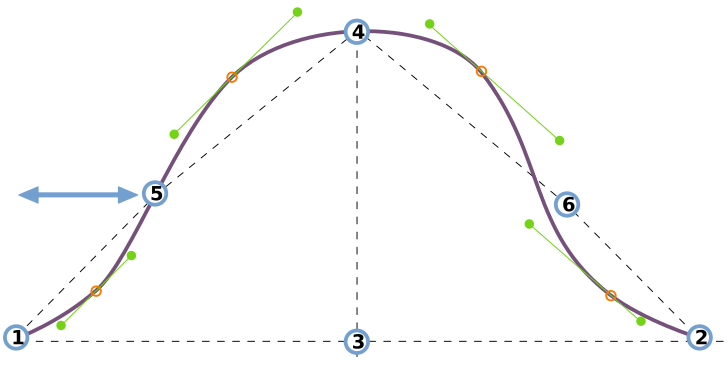
This option controls the horizontal placement of the sleevecap inflection point at the back of the sleeve.
See understanding the sleevecap for an in-depth look into how the sleevecap is constructed and the influence of the different options on its shape.
Sleevecap back Y
Controls the placement of the sleevecap back pitchpoint on the Y-axis (vertical)
- Type: Percentage
- Default: 33%
- Minimum: 30%
- Maximum: 65%
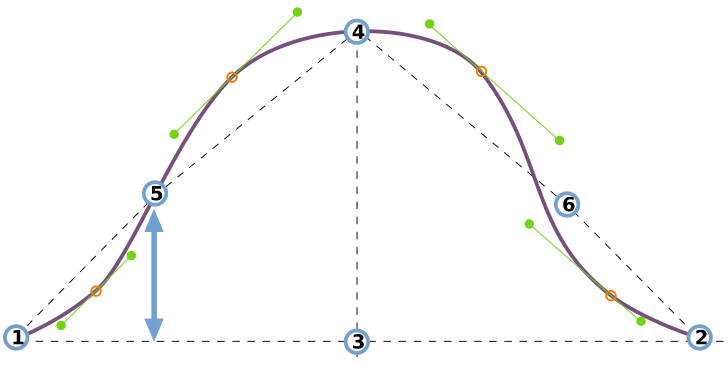
This option controls the vertical placement of the sleevecap inflection point at the back of the sleeve.
See understanding the sleevecap for an in-depth look into how the sleevecap is constructed and the influence of the different options on its shape.
Sleevecap ease
The amount by which the sleevecap seam is longer than the armhole seam.
- Type: Percentage
- Default: 0%
- Minimum: 0%
- Maximum: 10%
This option determines the amount of ease at the sleevecap.
The amount of sleevecap ease determines how the sleeves rolls from the shoulder. More ease makes the sleeve curl into the seam as you see on suit jackets. Less ease makes the sleeve lie flat.
For light fabric or knits, you want little to no sleevecap ease. For heavier woven fabrics, you need more sleevecap ease.
Sleevecap front X
Controls the placement of the sleevecap front pitchpoint on the X-axis (horizontal)
- Type: Percentage
- Default: 55%
- Minimum: 35%
- Maximum: 65%
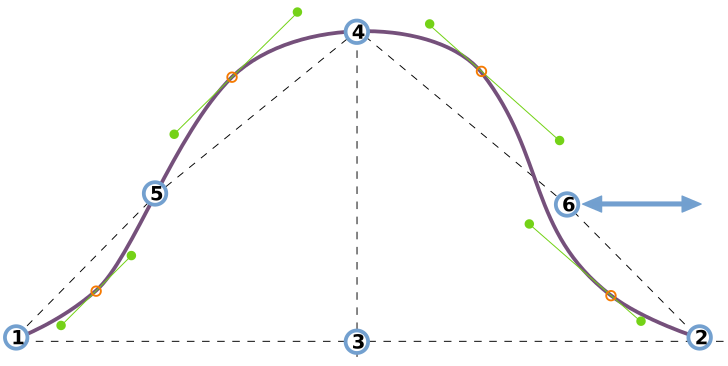
This option controls the horizontal placement of the sleevecap inflection point at the front of the sleeve.
See understanding the sleevecap for an in-depth look into how the sleevecap is constructed and the influence of the different options on its shape.
Sleevecap front Y
Controls the placement of the sleevecap front pitchpoint on the Y-axis (vertical)
- Type: Percentage
- Default: 33%
- Minimum: 30%
- Maximum: 65%
This option controls the vertical placement of the sleevecap inflection point at the front of the sleeve.
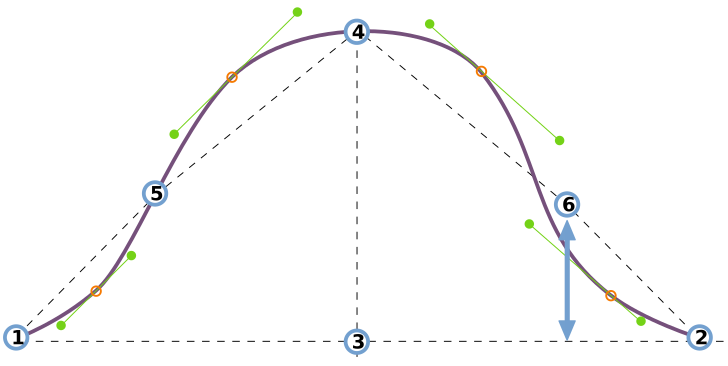
See understanding the sleevecap for an in-depth look into how the sleevecap is constructed and the influence of the different options on its shape.
Sleevecap Q1 offset
Controls the curvature of the sleevecap in the first quadrant (front armhole)
- Type: Percentage
- Default: 1.7%
- Minimum: 0%
- Maximum: 7%
This option controls the offset in the first quadrant of the sleevecap.
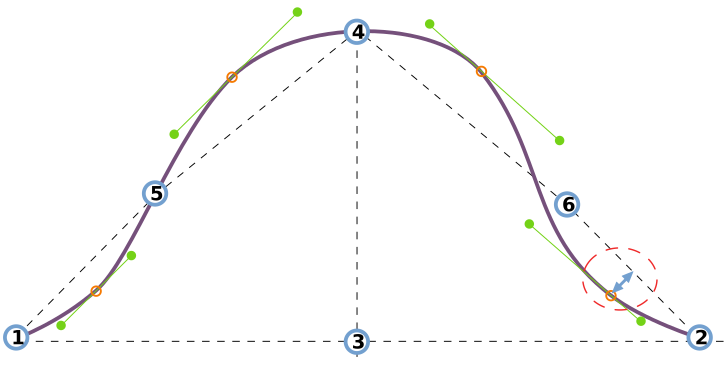
See understanding the sleevecap for an in-depth look into how the sleevecap is constructed and the influence of the different options on its shape.
Sleevecap Q1 downward spread
Controls the spread of the sleevecap first quadrant curvature towards the armhole
- Type: Percentage
- Default: 10%
- Minimum: 4%
- Maximum: 20%
This option controls the downward spread in the first quadrant of the sleevecap.
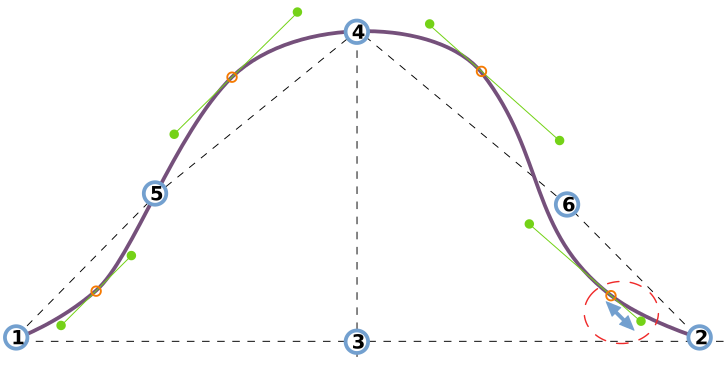
See understanding the sleevecap for an in-depth look into how the sleevecap is constructed and the influence of the different options on its shape.
Sleevecap Q1 upward spread
Controls the spread of the sleevecap first quadrant curvature towards the shoulder
- Type: Percentage
- Default: 15%
- Minimum: 4%
- Maximum: 20%
This option controls the upward spread in the first quadrant of the sleevecap.
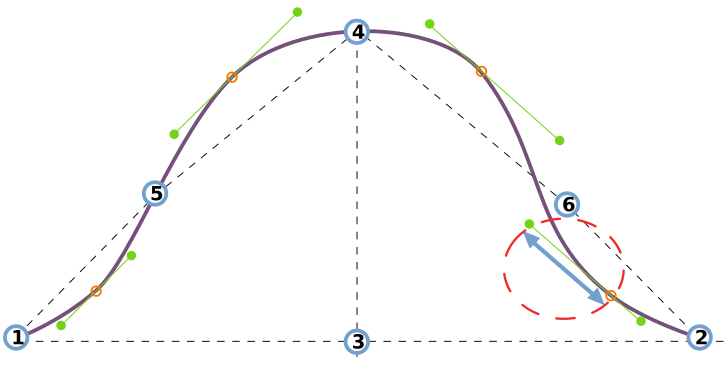
See understanding the sleevecap for an in-depth look into how the sleevecap is constructed and the influence of the different options on its shape.
Sleevecap Q2 offset
Controls the curvature of the sleevecap in the second quadrant (front shoulder)
- Type: Percentage
- Default: 3.5%
- Minimum: 0%
- Maximum: 7%
This option controls the offset in the second quadrant of the sleevecap.
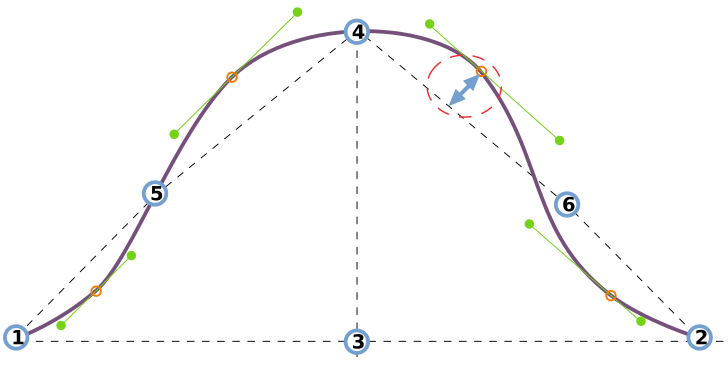
See understanding the sleevecap for an in-depth look into how the sleevecap is constructed and the influence of the different options on its shape.
Sleevecap Q2 downward spread
Controls the spread of the sleevecap second quadrant curvature towards the armhole
- Type: Percentage
- Default: 15%
- Minimum: 4%
- Maximum: 20%
This option controls the downward spread in the second quadrant of the sleevecap.
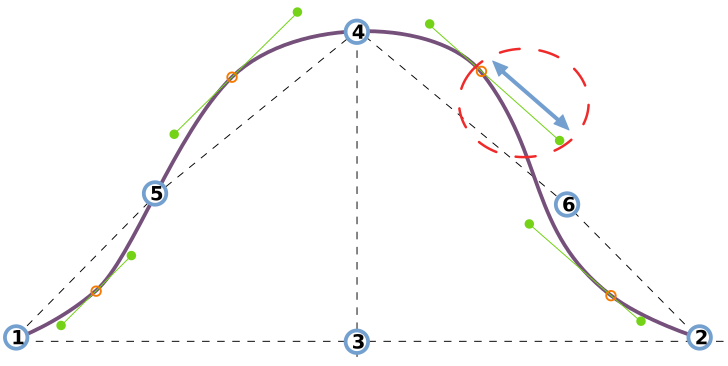
See understanding the sleevecap for an in-depth look into how the sleevecap is constructed and the influence of the different options on its shape.
Sleevecap Q2 upward spread
Controls the spread of the sleevecap second quadrant curvature towards the shoulder
- Type: Percentage
- Default: 10%
- Minimum: 4%
- Maximum: 20%
This option controls the upward spread in the second quadrant of the sleevecap.
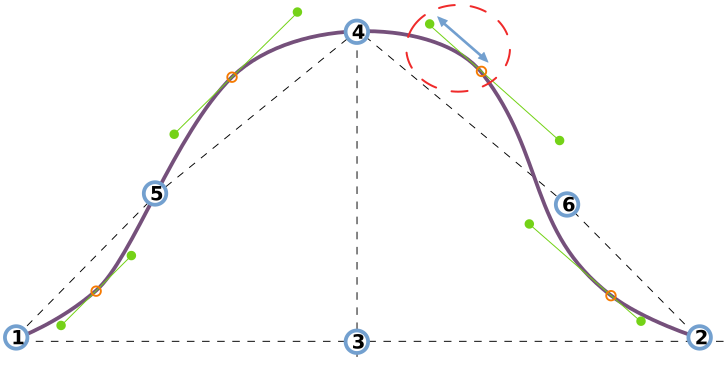
See understanding the sleevecap for an in-depth look into how the sleevecap is constructed and the influence of the different options on its shape.
Sleevecap Q3 offset
Controls the curvature of the sleevecap in the third quadrant (back shoulder)
- Type: Percentage
- Default: 2.5%
- Minimum: 0%
- Maximum: 7%
This option controls the offset in the third quadrant of the sleevecap.
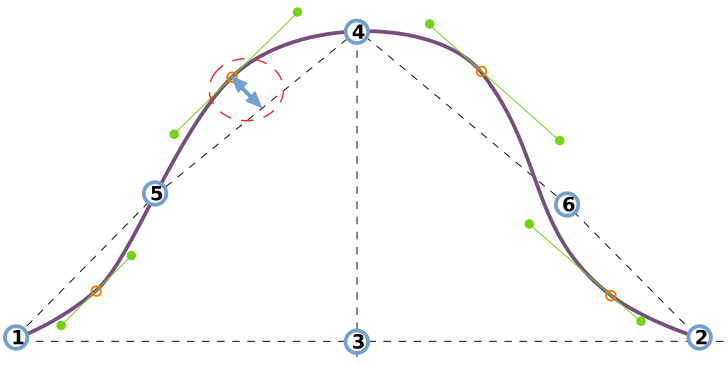
See understanding the sleevecap for an in-depth look into how the sleevecap is constructed and the influence of the different options on its shape.
Sleevecap Q3 upward spread
Controls the spread of the sleevecap third quadrant curvature towards the shoulder
- Type: Percentage
- Default: 10%
- Minimum: 4%
- Maximum: 20%
This option controls the upward spread in the third quadrant of the sleevecap.
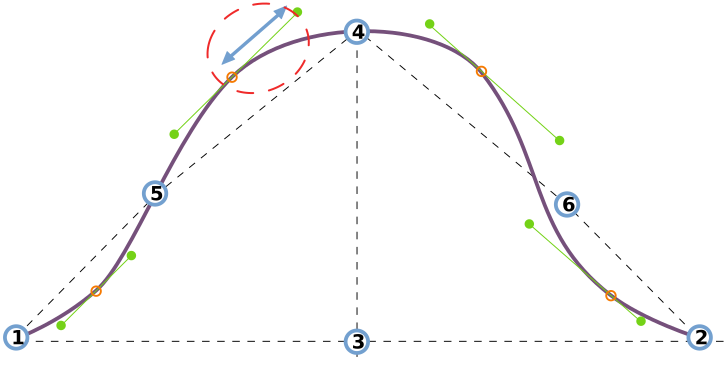
See understanding the sleevecap for an in-depth look into how the sleevecap is constructed and the influence of the different options on its shape.
Sleevecap Q3 downward spread
Controls the spread of the sleevecap third quadrant curvature towards the armhole
- Type: Percentage
- Default: 8%
- Minimum: 4%
- Maximum: 20%
This option controls the downward spread in the third quadrant of the sleevecap.
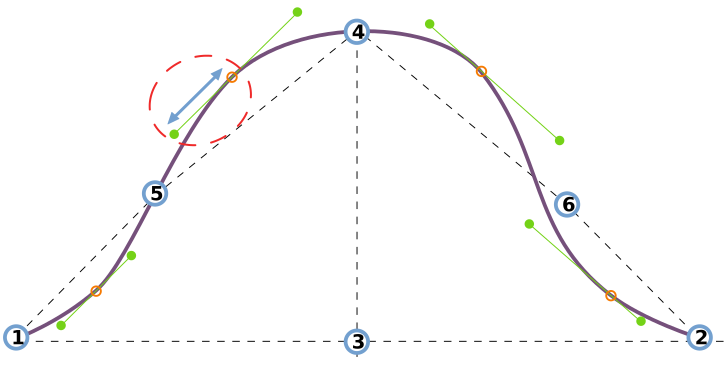
See understanding the sleevecap for an in-depth look into how the sleevecap is constructed and the influence of the different options on its shape.
Sleevecap Q4 offset
Controls the curvature of the sleevecap in the fourth quadrant (back armhole)
- Type: Percentage
- Default: 1%
- Minimum: 0%
- Maximum: 7%
This option controls the offset in the fourth quadrant of the sleevecap.
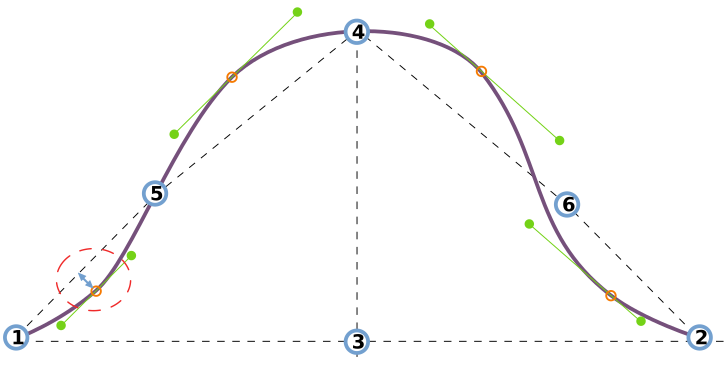
See understanding the sleevecap for an in-depth look into how the sleevecap is constructed and the influence of the different options on its shape.
Sleevecap Q4 upward spread
Controls the spread of the sleevecap fourth quadrant curvature towards the shoulder
- Type: Percentage
- Default: 7%
- Minimum: 4%
- Maximum: 20%
This option controls the upward spread in the fourth quadrant of the sleevecap.
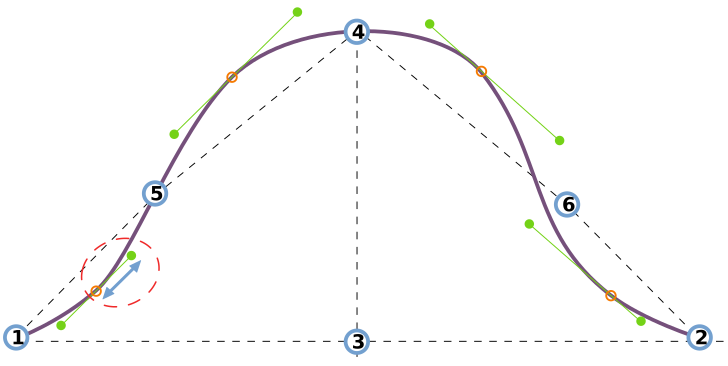
See understanding the sleevecap for an in-depth look into how the sleevecap is constructed and the influence of the different options on its shape.
Sleevecap Q4 downward spread
Controls the spread of the sleevecap fourth quadrant curvature towards the armhole
- Type: Percentage
- Default: 6.3%
- Minimum: 4%
- Maximum: 20%
This option controls the downward spread in the fourth quadrant of the sleevecap.
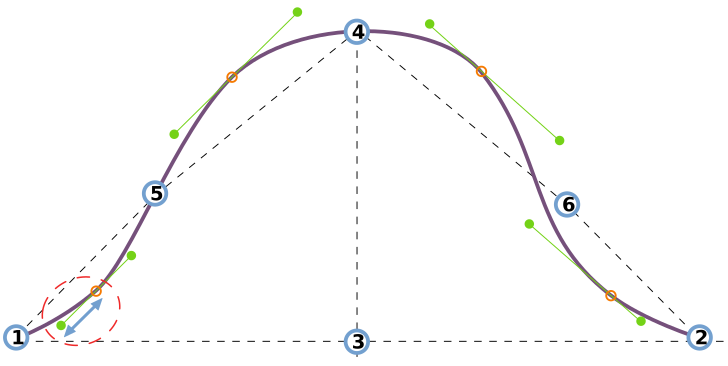
See understanding the sleevecap for an in-depth look into how the sleevecap is constructed and the influence of the different options on its shape.
Sleevecap top X
Controls the horizontal location of the sleevecap top.
- Type: Percentage
- Default: 50%
- Minimum: 25%
- Maximum: 75%
This option controls the horizontal placement of the sleevecap top.
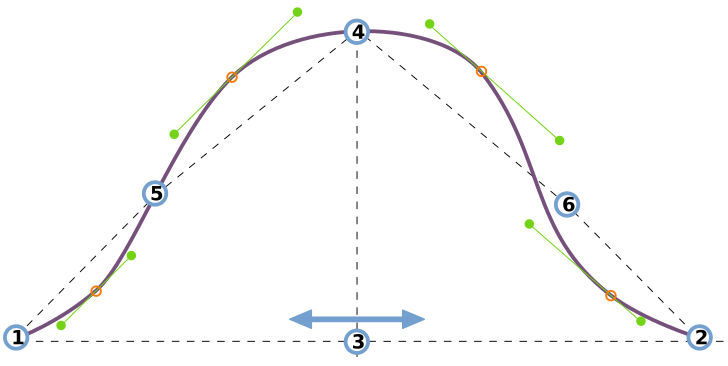
See understanding the sleevecap for an in-depth look into how the sleevecap is constructed and the influence of the different options on its shape.
Sleevecap top Y
Controls the height of the sleevecap. A higher value results in a higher and more narrow sleevecap.
- Type: Percentage
- Default: 45%
- Minimum: 35%
- Maximum: 125%
This option controls the vertical placement of the sleevecap top.
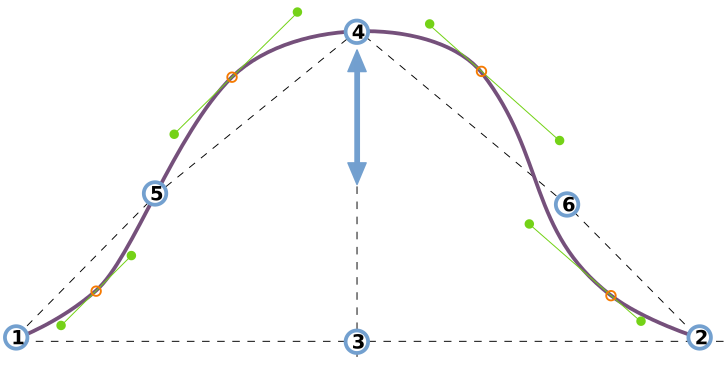
See understanding the sleevecap for an in-depth look into how the sleevecap is constructed and the influence of the different options on its shape.